
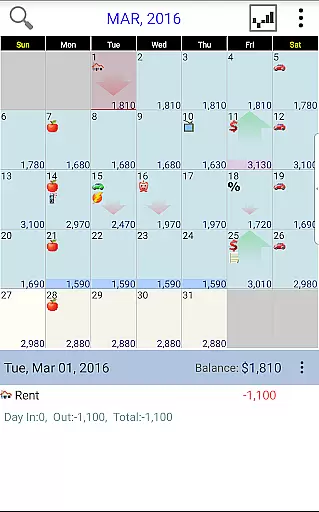
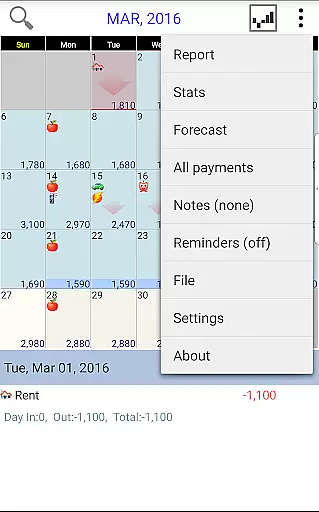
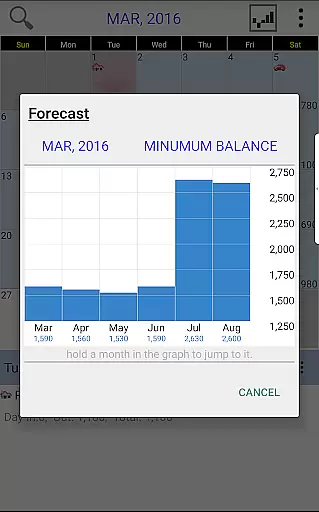
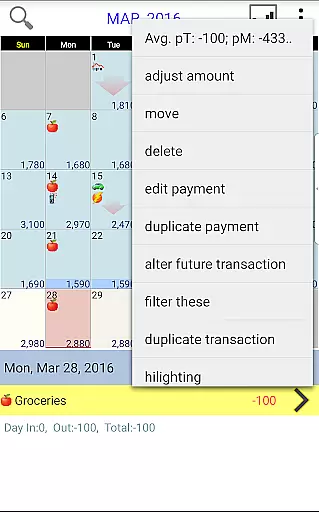
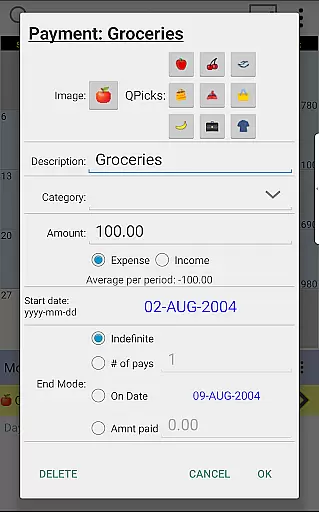
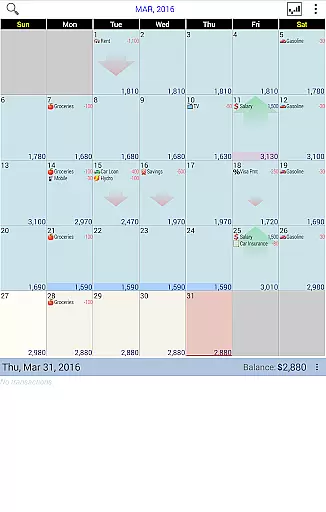
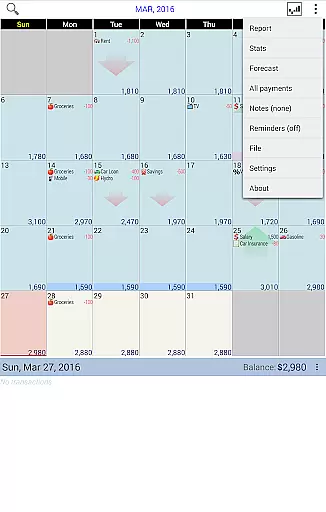
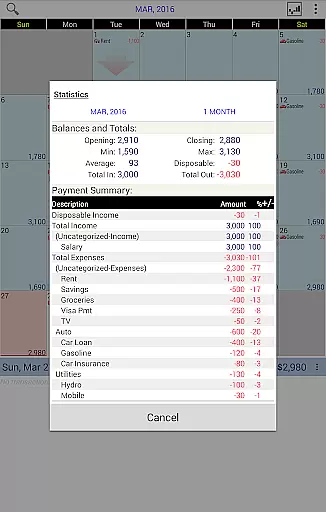
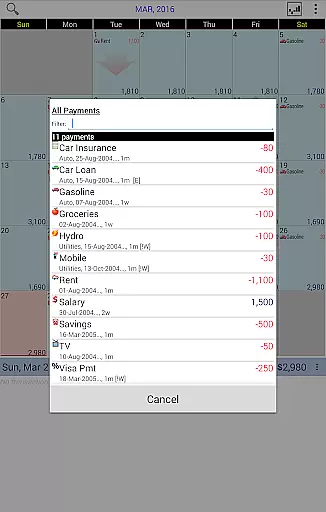
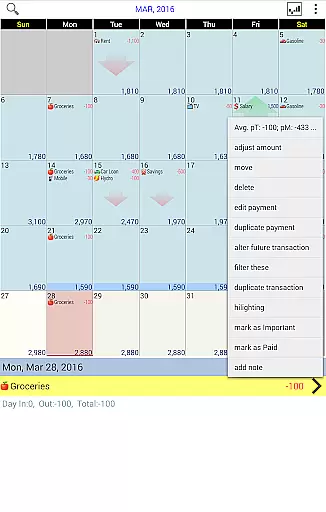
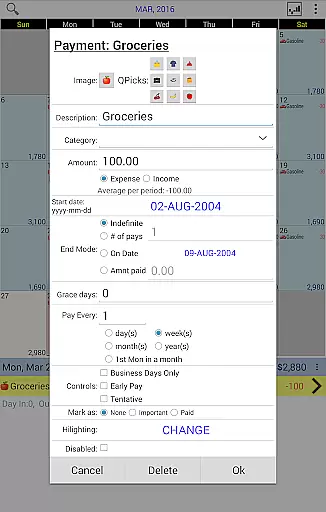
Budget Calendar is a comprehensive financial planning tool designed to simplify budget management through an intuitive calendar-based interface. Unlike traditional ledger systems, this Finance app visualizes all transactions directly on a calendar, providing users with a clear overview of their financial activities. Each payment entry can be customized with unique icons, allowing for easy categorization and recognition. The app's drag-and-drop functionality enables users to effortlessly reschedule transactions to better fit their financial plans.
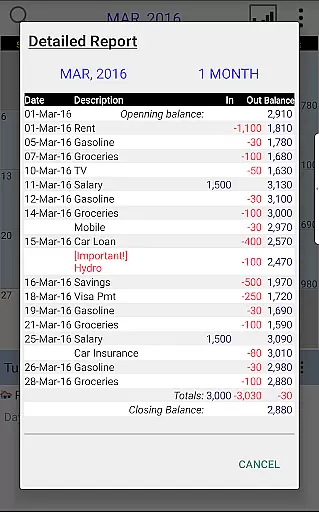
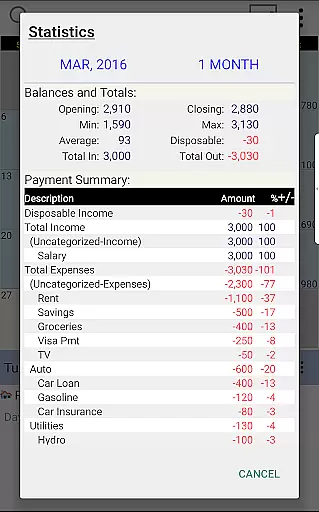
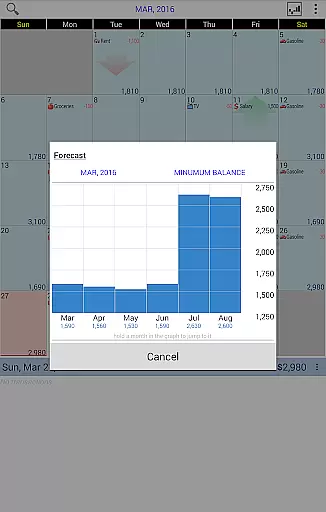
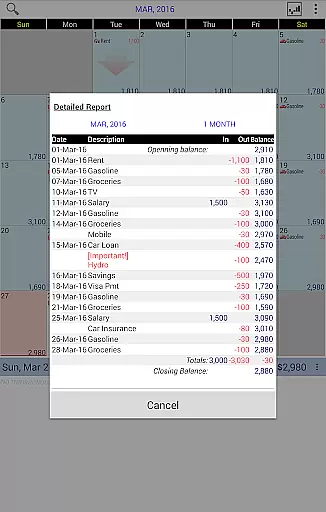
The application goes beyond basic transaction recording by offering robust reporting features. Users can generate detailed statistics and reports spanning single or multiple months, helping them identify spending patterns and plan future expenses. The smart balance adjustment feature allows for real-time synchronization between planned budgets and actual account balances. With cross-platform compatibility between smartphone and desktop versions (available as separate purchases), and Google Drive integration for seamless device syncing, Budget Calendar provides a complete solution for modern financial management.
Budget Calendar distinguishes itself through several innovative features that enhance the financial management experience. The calendar-based transaction system revolutionizes how users interact with their financial data, replacing complex ledgers with a visually intuitive interface. This approach not only simplifies daily transaction tracking but also makes it easier to forecast future expenses. The customizable icon system for payments adds another layer of personalization, enabling users to quickly identify different types of transactions at a glance.
Advanced reporting capabilities form another cornerstone of Budget Calendar's feature set. The app generates comprehensive monthly reports that provide valuable insights into spending habits and financial trends. Its unique balance adjustment tool helps users maintain accurate financial records by aligning planned budgets with real-world account balances. The cross-platform compatibility feature ensures that users can access their financial data across multiple devices, while Google Drive integration facilitates automatic backups and real-time synchronization between smartphones and desktop computers.
For users seeking to explore the app's capabilities before committing, Budget Calendar offers a TRIAL desktop version. This allows potential users to experience the full range of features and understand how the app can transform their financial management process before making a purchase decision.
Budget Calendar ensures robust account and fund security through multiple layers of protection. The application employs advanced encryption protocols to safeguard your financial data, ensuring that all transactions are securely stored and transmitted.
One of the standout features is its secure syncing capability with Google Drive, allowing users to safely back up their data across multiple devices without compromising security. This means you can access your budget information from your smartphone or PC, knowing that your data remains protected.
In addition to encryption, Budget Calendar provides users with customizable privacy settings. You have control over what information is shared and how it is displayed on the calendar, giving you peace of mind while planning your finances. This level of customization ensures that sensitive details are only visible to you.
By prioritizing security, Budget Calendar allows users to focus on effective budget management without worrying about unauthorized access or data breaches. This makes it an ideal choice for anyone looking to manage their finances safely and efficiently.
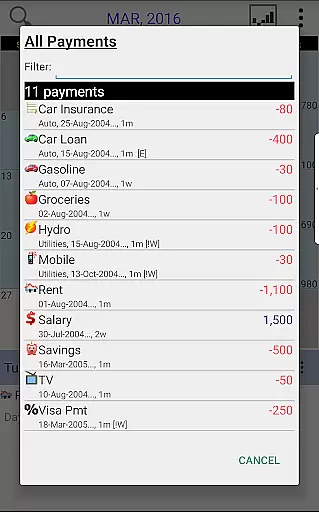
The transaction experience in Budget Calendar is designed to be intuitive and user-friendly, making budget management accessible even to those who are not financially savvy. Each transaction is displayed on a calendar interface, offering a clear visual representation of your financial activities.
Unlike traditional ledger systems used by some budgeting apps, Budget Calendar simplifies the process by allowing users to move transactions to different days easily. This flexibility helps in adjusting your budget according to changing needs and plans, providing a more personalized approach to financial planning.
Each payment entry can be customized with unique icons, enhancing the clarity and organization of your transactions. This feature not only makes the calendar visually appealing but also aids in quickly identifying different types of expenses at a glance.
Furthermore, Budget Calendar offers comprehensive statistics and reports for one or more months, enabling users to track spending patterns and adjust budgets accordingly. This detailed insight into your financial habits empowers you to make informed decisions and better manage your funds.
User-friendly calendar interface
Customizable transaction icons
Robust reporting tools
Cross-platform compatibility
Google Drive integration
Separate desktop purchase required
Limited free trial options
Advanced features need learning
Occasional sync issues reported
Premium subscription costs

Manage your account, make a payment, and redeem your rewards on the go.
 4.50
4.50
The all-in-one app to save, earn, travel, and put more money in your pocket
4.50
Managing your money just got easier. Get the new Mobile app.
4.70
View BSC Transactions for multiple accounts
3.90
“Money Manager” is an optimized application for personal asset management.
4.70
Registration of your debts and Mdionatk and assembled, as well as a significant reports
4.30
Amazing Financial Calculator. Based on HP 10bII, but easier to use!
4.40
Navigate your unique financial path confidently with help from Credit Karma.
4.70
Trade NFL, NBA, Crypto, Tech
4.50
Currency Converter, Exchange Rates, Widgets
4.90
The Citi Mobile® App lets you manage your accounts virtually anytime, anywhere
4.80
Your Big Financial Friend
4.70
Cash Advance, Credit Cards, Credit Lines, Score Monitoring, Saving, Budgeting
4.70
Banking with no monthly fees, fee-free overdraft, and early payday.
4.70
Over 180 currencies conversion rates with live exchange rates and offline mode.
4.60
Manage your prepaid cards and add to Google or Samsung Wallet.
4.60 4.50
4.50
Earn money as a tester with Testerup, get cash testing apps and games
4.20
Secure Amex Account Access: View Balance, Make Payments, Redeem Rewards & more
3.60


User Reviews