
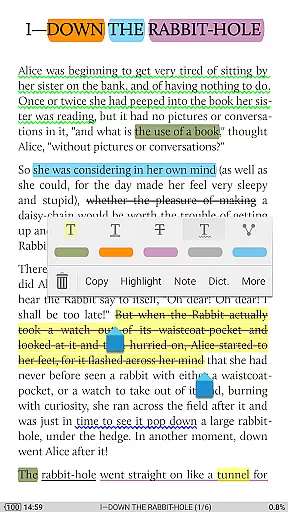
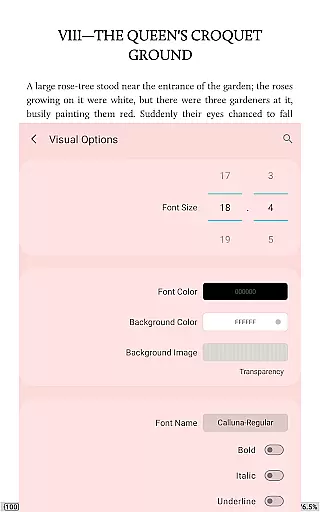
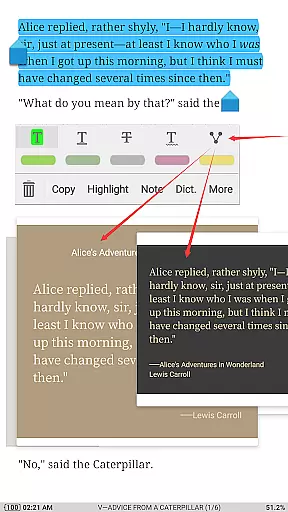
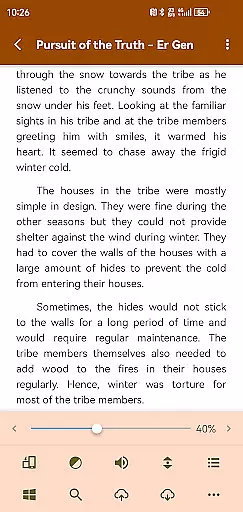
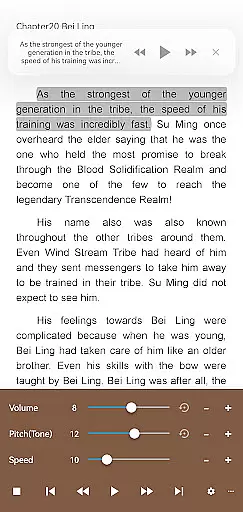
Moon+ Reader Pro is the premier ebook reader app designed for book enthusiasts who demand a feature-rich reading experience. Supporting an extensive range of formats including EPUB, PDF, DJVU, AZW3, MOBI, and more, it caters to all your ebook needs. The app stands out with its advanced customization options, offering users control over visual settings like line spacing, font scaling, themes, and page-turning animations. Its innovative features such as text-to-speech, multi-point touch support, and intelligent paragraph formatting make it the go-to choice for personalized reading.
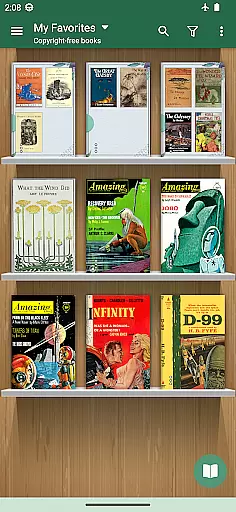
Designed for both casual readers and power users, Moon+ Reader Pro enhances the reading experience with specialized functions for PDFs, including annotation and form-filling capabilities. With additional options like password protection, home screen shortcuts, and widget shelf support, this app ensures convenience and security. Whether you're managing a personal library or accessing online repositories, Moon+ Reader Pro provides seamless integration with cloud services and calibre ebook servers, making it an indispensable tool for avid readers.
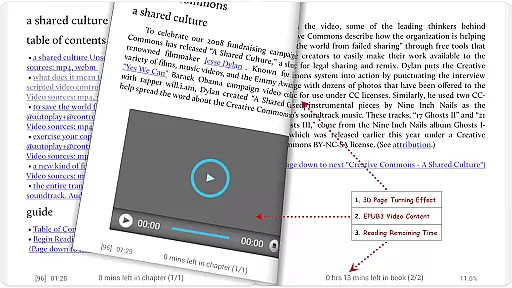
Moon+ Reader Pro boasts an array of powerful features that set it apart from other ebook readers. One standout aspect is its comprehensive PDF handling, which includes highlighting, annotations, and handwriting support. These tools are complemented by smart scroll lock and dual-page modes, ensuring a smooth reading experience even with complex documents. The app also supports multimedia content in EPUB3, allowing users to enjoy embedded videos and audio within their ebooks.
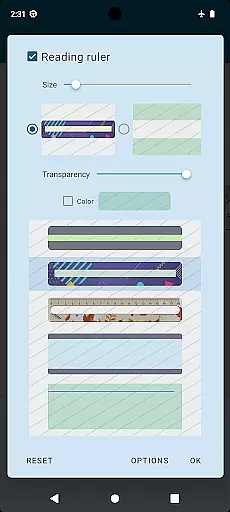
The app's customization capabilities are unparalleled, providing users with 24 customizable operations and 15 events to tailor their reading experience. From adjusting brightness via edge sliding to real-time speed control in auto-scroll modes, every detail is designed for user comfort. Additionally, the inclusion of a bluelight filter and reading ruler demonstrates the app's commitment to eye care during extended reading sessions. With support for all screen orientations and justified text alignment, Moon+ Reader Pro delivers a professional-grade reading solution that adapts to various preferences and devices.
Moon+ Reader Pro stands out with its extensive e-book library that supports a wide array of formats including EPUB, PDF, DJVU, AZW3, MOBI, and more. This versatility ensures that users have access to virtually any book they wish to read without worrying about format compatibility.
The application's commitment to copyright authenticity is evident through its support for personal Calibre ebook servers and online ebook libraries. Users can rest assured that their collection adheres to legal standards while enjoying the convenience of accessing their books from multiple sources.
Furthermore, Moon+ Reader Pro offers backup and restore options via DropBox/WebDav, allowing seamless synchronization of reading positions across devices. This feature not only enhances accessibility but also encourages users to maintain an organized and lawful digital library.
With over 1,000,000 downloads and numerous positive reviews, Moon+ Reader Pro has established itself as a trustworthy platform for managing and enjoying e-books with respect to copyright laws.
One of the core strengths of Moon+ Reader Pro lies in its exceptional format compatibility. Supporting a vast range of file types such as EPUB, PDF, DJVU, AZW3, MOBI, FB2, and even comic book formats like CBZ and CBR, it ensures that no book is left behind due to format restrictions.
In addition to standard e-book formats, this reader accommodates documents such as DOCX, ODT, RTF, TXT, HTML, MHT/MHTML, MD (MarkDown), WEBP, RAR, ZIP or OPDS. Such inclusivity empowers users to consolidate their reading material within a single app.
The pro version further extends these capabilities by offering advanced PDF features including form filling, highlighting, annotation, handwriting recognition along with night mode support and dual-page viewing for landscape screens. These enhancements make navigating through complex documents effortless.
This comprehensive approach towards format compatibility solidifies Moon+ Reader Pro's position as the go-to application for avid readers who demand flexibility without compromising on functionality or user experience.
Ad-free experience
Extensive format support
Advanced PDF tools
Customizable reading options
Cloud integration
Higher cost than free readers
Complex for beginners
Occasional performance issues
Limited customer support
Requires storage permissions

"BIG A, little a. What begins with A?"
 4.10
4.10
Read and study the Bible and other content in over 1,000 languages.
4.80
Read aloud texts, audiobooks, PDFs or any eBook with text to speech AI audio
4.60
Liturgy of the Hours totally off-line
4.80
Unlock unlimited access to bestselling ebooks, novels, stories, and audiobooks
4.60
Read unlimited novels, audiobooks, stories & Unlock ebooks, fanfiction and more!
4.70
Daily rosary and gospel reflections for catholic
4.90
A Comprehensive Restoration of Sacred Scripture
4.50
A highly sophisticated app for all of your mobile reading—any format, any time
4.50
Flora of Virginia Project (www.floraofvirginia.org)
5.00
Holy Bible, a KJIV Bible study, audios & daily verses, talk with God now.
4.80
My Bible offers a comprehensive app by providing offline access, daily verses.
4.80
8 Dr. Seuss short stories in 1 app!
4.70
The Original & Authentic Crystals, Gemstones, Rocks & Minerals Encyclopedia.
4.60
Offline translator from english to spanish, and from spanish to english.
4.50
Research your family history to explore ancestors and search for your heritage
4.50
Essential Technical Rescue Field Operations Guide 6, the Industry Standard Guide
4.20
ISAIAH EXPLAINED with Avraham Gileadi Ph.D.
4.00
A guide for the Court of Atonement spiritual healing process.
4.0


User Reviews