
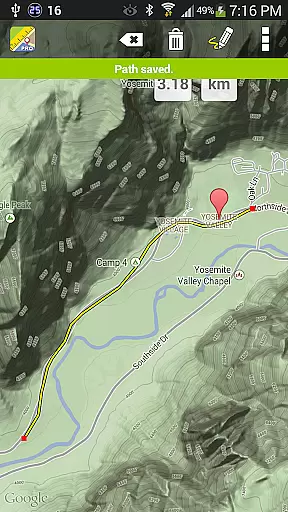
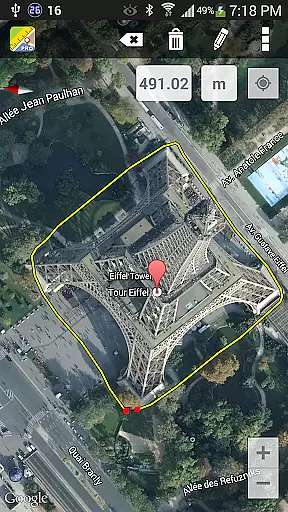
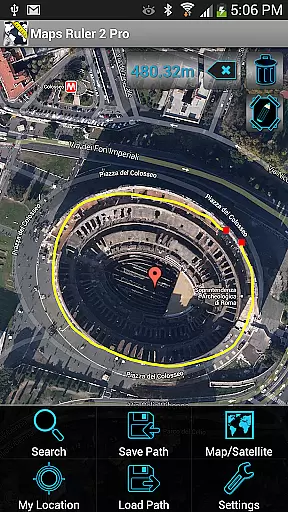
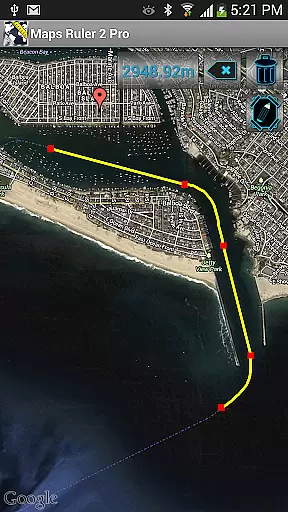
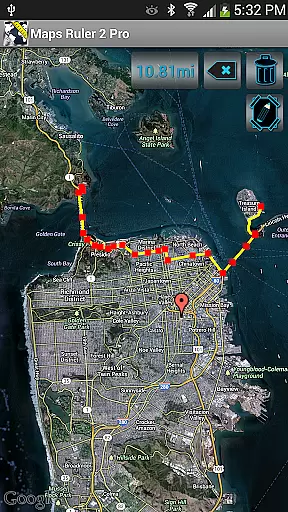
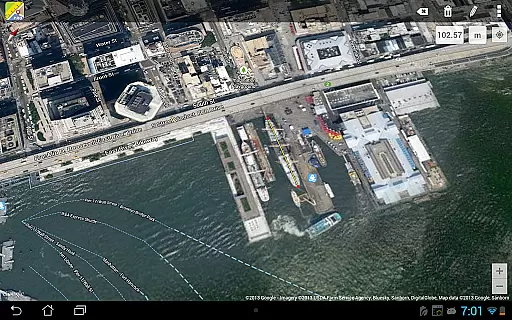
Maps Ruler Pro is a versatile mapping tool designed for users who need to calculate distances between multiple points on a map. This app proves especially useful for outdoor activities, allowing users to find the shortest routes and conserve energy during their journeys. Additionally, its unique golf distance calculator feature makes it an invaluable tool for golfers seeking precise yardage measurements.
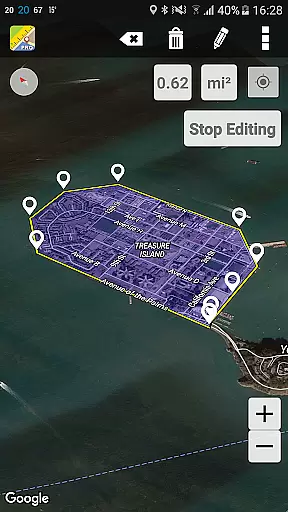
The application also offers an area calculation mode currently in beta, providing even more functionality for users who require detailed spatial analysis. With pro features such as continuous path calculation, custom path naming, and the ability to save or load paths, Maps Ruler Pro stands out as a comprehensive navigation solution for both casual and professional use.
Maps Ruler Pro boasts an array of advanced features that cater to various mapping needs. One standout capability is its continuous path calculation function, which allows users to draw directly on the map while the app calculates distances in real time. This intuitive drawing feature streamlines the process of measuring complex routes, making it ideal for planning travel or surveying land.
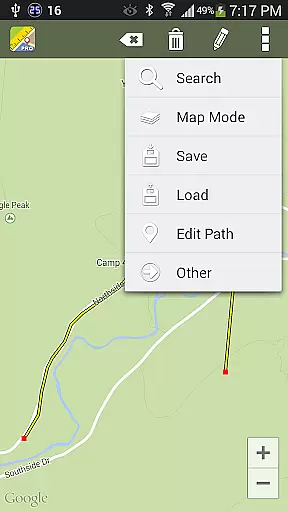
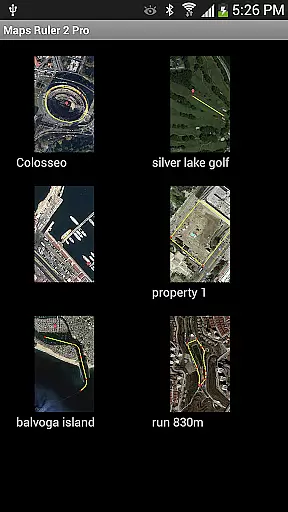
In addition to its robust measurement tools, the app supports multiple unit conversions including meters, kilometers, miles, feet, and fathoms. Users can customize their experience by naming paths, saving them for future reference, and organizing multiple points with ease. These pro-level features ensure accurate calculations without interruptions from advertisements, offering a seamless user experience for all mapping requirements.
Map accuracy is essential for any navigation or measurement tool, and Maps Ruler Pro excels in this area. The application provides precise calculations of distances between selected points on a map, ensuring that users can rely on its measurements for various purposes.
The app offers features such as continuous path calculation, which allows users to draw paths on the map while providing real-time distance updates. This feature is complemented by the ability to name paths and save or load them, making it convenient for future reference or further calculations.
Users benefit from having multiple units of measurement available, including meters, kilometers, miles, feet, and fathoms. This versatility ensures that whether you're calculating distances for energy-saving travel routes or using the app as a golf distance calculator, the data provided is both accurate and relevant to your needs.
Route planning is a critical component of any maps application, and Maps Ruler Pro offers an intuitive set of tools for this purpose. With the ability to calculate the shortest path between points, users can efficiently plan their routes, saving both time and energy during their travels.
In addition to basic route planning, the app includes a beta feature for area calculation, allowing users to determine the size of a given space on the map. This could be particularly useful for outdoor activities or land surveying tasks where knowing the exact area is crucial.
Maps Ruler Pro enhances user experience by offering pro features like ad-free usage and advanced functionalities such as continuous path drawing. These features ensure that users have a seamless experience when planning their routes or conducting more complex geographic analyses.
Accurate distance calculations
User-friendly interface
No ads
Multiple unit conversions
Save and load paths
Beta mode for area calculation
Limited drawing tools
No offline maps
Premium price
Few customization options

Start your next adventure confidently using our Accurate Compass App
 3.70
3.70
Explore a light pollution map to find suitable dark sky locations for observing.
4.30
GPX Viewer PRO shows tracks, routes and waypoints from gpx and kml files.
4.60
Airport parking, with airport shuttle (TPS shuttle), reservations, and Spot Club
4.80
Get route map navigation with 3D satellite view, and live earth camera streaming
3.70
Explore Live Earth Map with 3D World Map & locate cites, mountains real time.
3.80
ParkWhiz, an Arrive Mobility brand, part of the Arrive Network
4.30
Route Planner is travel map to get turn by turn navigation & driving directions
3.90
Neshan: map & navigation app with 20M+ monthly active users
4.50
Ride or drive at YOUR price
4.70
Find AI powered cameras, ALPRs, and other surveillance infrastructure near you
4.70
Affordable rides and food delivery with incredible discounts in just one app.
4.50
"Balad" is a map and navigator with a Persian voice assistant and a complete city guide
4.40
Get matched with a nearby driver — you’ll be on your way in minutes.
4.30
GPS Navigation: Get map directions and find the shortest routes to avoid delays!
4.00
MapQuest is your go-to app for maps, GPS, voice navigation & live traffic.
3.80
Gas Station & Fuel Rewards Points
3.70
Explore Earth with live GPS, satellite view & street navigation
3.60
Your guide to the recreational opportunities of the Bureau of Land Management!
3.40


User Reviews