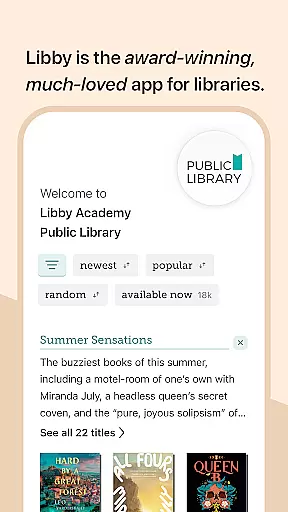
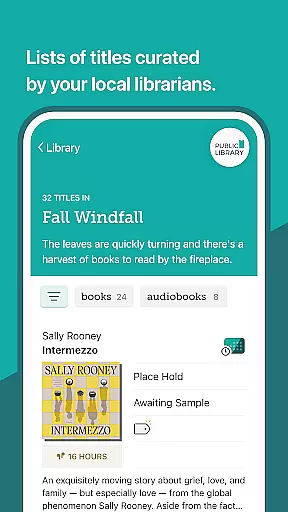
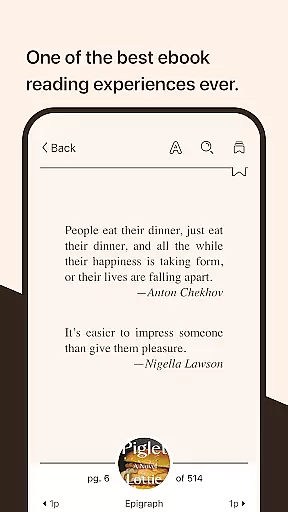
Libby is an award-winning app that connects users to their local library's digital collection. With a library card, you can instantly borrow ebooks, audiobooks, and magazines for free. The app offers a seamless reading experience with features like adjustable text settings, offline downloads, and cross-device syncing.
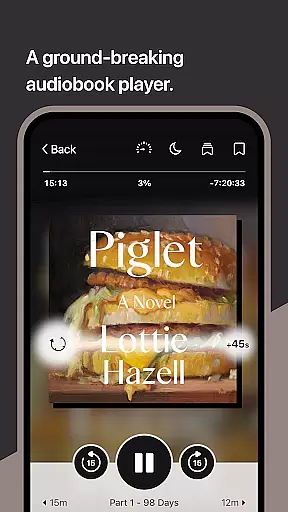
One of Libby's standout features is its intuitive ebook reader and audio player. You can customize your reading experience with adjustable text size and background colors, zoom into graphic-heavy content like magazines, and even define words directly in the app. Audiobook controls include variable speed playback and sleep timers, making it easy to enjoy books on your schedule.
Whether you're commuting or relaxing at home, Libby makes accessing library resources convenient and enjoyable. It's perfect for avid readers who want instant access to best-sellers and classic literature without the need to visit a physical library location.
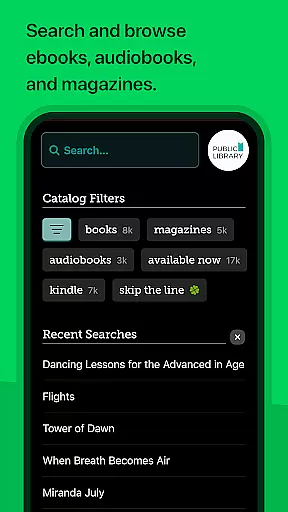
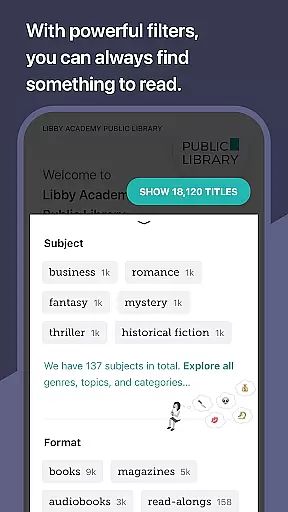
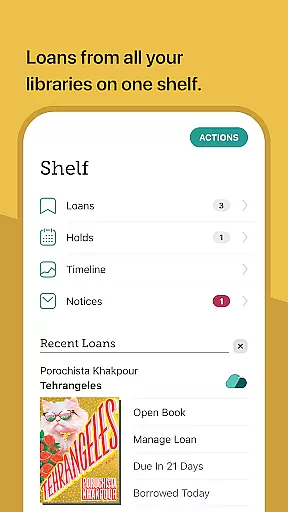
Libby stands out with its comprehensive set of features designed for book lovers. The app allows you to browse your library's entire digital catalog, from New York Times best-sellers to timeless classics. You can borrow up to 10 titles at once and place holds on up to 20 more, ensuring you always have something to read next.
The built-in ebook reader and audio player are both feature-rich and user-friendly. In addition to basic reading tools like bookmarks and highlights, you can also sync your reading progress across multiple devices. Audiobook listeners will appreciate the ability to adjust playback speed and use Android Auto for hands-free listening.
Another key advantage is Libby's support for Kindle (U.S. libraries only) and its integration with various library systems worldwide. This ensures wide accessibility and compatibility regardless of where you live. The app's tagging system also helps you organize your reading list effectively.
Libby offers an extensive e-book library that includes millions of titles from classics to New York Times best-sellers. This vast collection is made available through local libraries worldwide, ensuring users have access to a diverse range of reading materials.
The app guarantees the copyright authenticity of its content by partnering directly with libraries and publishers. This collaboration ensures that all books available for borrowing are legal copies, providing users with peace of mind regarding the legitimacy of their reads.
With Libby, users can instantly borrow e-books for free using their library card. The convenience of accessing such a wide array of verified content without any additional cost enhances the overall value proposition for avid readers and casual users alike.
Libby excels in format compatibility, supporting various types of digital media including e-books, audiobooks, and magazines. This versatility allows users to enjoy their preferred content in multiple formats, catering to different reading or listening preferences.
In addition to standard e-book formats, Libby enables users to send borrowed e-books directly to their Kindle devices if they are using libraries within the U.S., further expanding its format support. Audiobook lovers benefit from features like adjustable playback speeds and Android Auto integration.
The app's comprehensive format options ensure that users can access their favorite titles on a variety of devices without compatibility issues, making it easier than ever to incorporate reading into daily routines.
User-friendly interface
Wide selection of titles
Offline reading capability
Cross-device syncing
Free library access
Limited to library holdings
Kindle support restricted
Wait times for popular books
Requires library card
Occasional bugs

Cute bedtime story for kids
 4.30
4.30
Offline dictionary for learning Cantonese as a second language
4.90
Bible Study App with Audio Book, Verse of the Day, and Devotionals.
4.80
Read popular romance books and web novels on the fantastic ebook reader
3.50
ISAIAH EXPLAINED with Avraham Gileadi Ph.D.
4.00
The Original & Authentic Crystals, Gemstones, Rocks & Minerals Encyclopedia.
4.60
Full text, sheet music, and recordings of the print edition
4.60
Daily Devotional Widgets & Hourly Verses. Listen to Bible & Watch Holy Stories
4.70
World's most comprehensive dictionary app: 13 languages, all online or offline!
4.80
The Bible Audio Guide
4.80
King James Bible read offline, AI Priest, Bible Quiz, Guiding Prayers & Plans
4.80
Read the KJV Bible with Strong’s offline: reading plans, audio Bibles, and more.
4.70
"Do you like green eggs and ham?"
4.70
Read unlimited novels, audiobooks, stories & Unlock ebooks, fanfiction and more!
4.70
Words spoken by native English speakers and full definitions.
4.60
Learn Electricians' Handbook PRO complete guide beginners to advance.
4.40
"BIG A, little a. What begins with A?"
4.10
All in one Calibre libraries on your phones and tablets.
3.80
Guide for dōTERRA® Products
3.60


User Reviews