
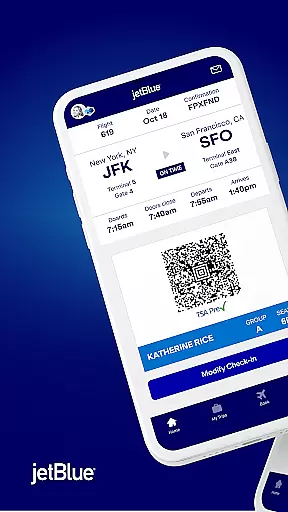
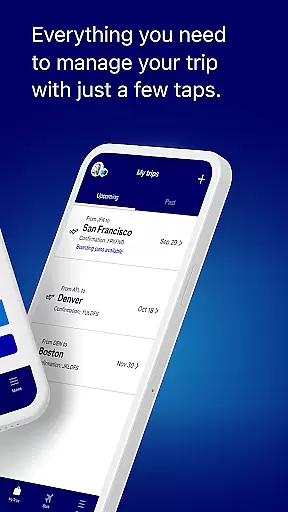
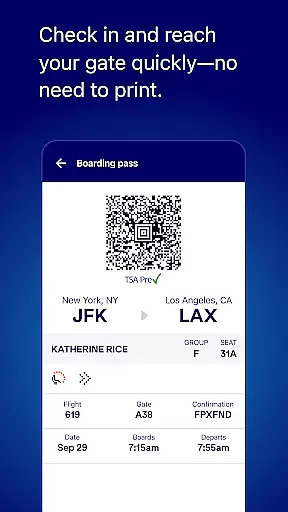
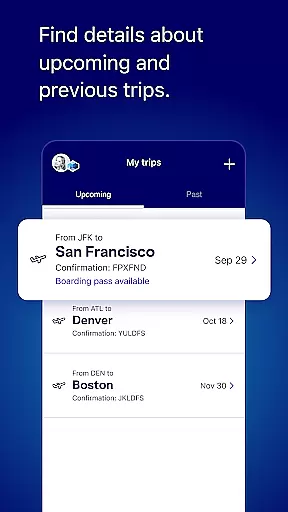
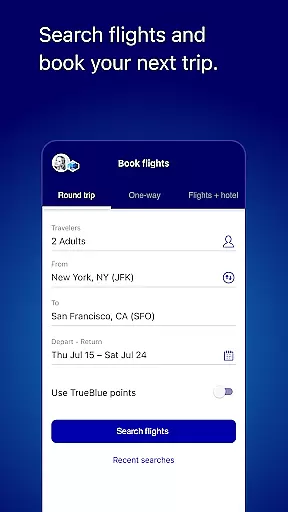
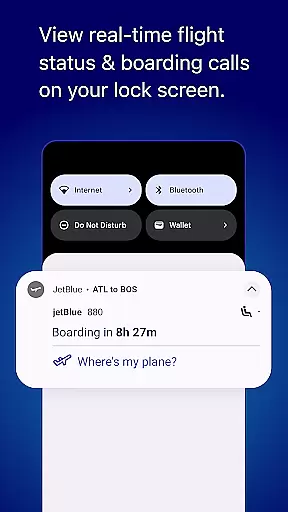
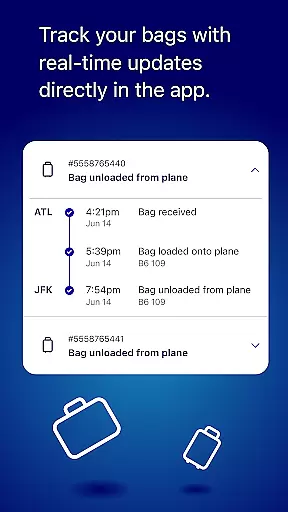
JetBlue's mobile app is a comprehensive travel companion that simplifies every aspect of your journey. With its user-friendly interface, the app allows you to book and manage flights with ease, check in effortlessly, and access boarding passes directly from your device. Whether you're planning your next trip or already at the airport, JetBlue ensures a seamless experience by providing essential travel information and tools right at your fingertips.
The app goes beyond just flight management by offering additional travel services such as hotel bookings, car rentals, and even airport shuttles through Paisly. You can also explore JetBlue's inflight offerings, track your TrueBlue points, and enjoy personalized experiences tailored to frequent travelers. This all-in-one solution makes it an indispensable tool for modern travelers seeking convenience and efficiency.
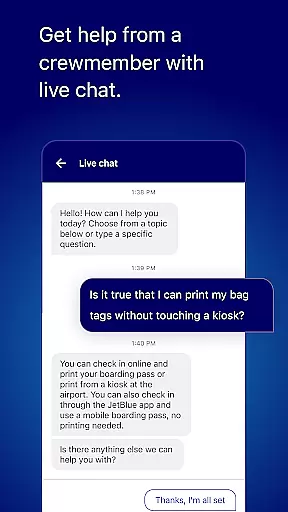
One of the standout features of the JetBlue app is its intuitive home screen, which provides quick access to key travel information on the day of your flight. The app streamlines the entire travel process, from booking tickets to managing your itinerary, selecting seats, and adding extras like checked bags or inflight meals. Its built-in live chat function connects you directly with JetBlue crewmembers for instant support, ensuring any questions or issues are resolved promptly.
For frequent flyers, the My TrueBlue section offers a personalized dashboard where users can track their loyalty points, view Travel Bank balances, and request missing credits for past trips. Additionally, the app includes practical tools like airport maps, flight trackers, and detailed descriptions of inflight amenities. These features collectively enhance the overall travel experience, making it more enjoyable and stress-free for passengers.
When it comes to booking travel, ensuring the authenticity of your reservations is paramount. The JetBlue app provides a secure and reliable booking system that guarantees your flight details are accurate and confirmed.
Through the app's intuitive interface, users can easily search for flights and make bookings with confidence. Each reservation is instantly verified and added to your itinerary, providing peace of mind.
The app maintains a direct connection with JetBlue's booking systems, ensuring real-time updates and reducing the risk of overbooking or scheduling conflicts. This seamless integration means that once you book, your seat is reserved.
Additionally, users have access to their entire travel history within the app, allowing them to verify past bookings and manage future trips efficiently. This level of transparency and reliability enhances the overall travel experience.
Understanding the costs associated with your travel plans is crucial for budgeting and peace of mind. The JetBlue app excels in offering price transparency, clearly displaying all costs involved before you finalize your booking.
From the initial search to the final payment, users can see a detailed breakdown of flight prices, including taxes and any additional fees. This openness allows travelers to make informed decisions about their travel expenses.
Moreover, the app often highlights promotional deals and discounts, ensuring customers can take advantage of the best available rates. Users can also compare different flight options side by side, evaluating costs to choose the most economical choice.
By providing clear and upfront pricing information, the JetBlue app empowers travelers to plan their journeys without worrying about hidden charges or unexpected costs. This commitment to transparency builds trust and enhances user satisfaction.
User-friendly interface
Comprehensive travel tools
Effortless flight management
Live chat support
Personalized loyalty program
Limited offline functionality
Occasional bugs reported
Additional fees for extras
Geographic restrictions apply
Inflight booking not available

Explore our parks like never before with the completely reimagined Six Flags app
 4.30
4.30
The Official Freedom Trail Foundation app.
4.30
Maps Speedometer shows your current speed in any app
3.60
A Camino de Santiago Guidebook from St. Jean Pied de Port to Santiago
3.60
CLEAR provides a safer, easier way through airports, stadiums, and beyond.
4.20
Meet Allyz®, your ultimate travel companion
4.70
Download now and start earning rewards on hotels, tours, and everything travel.
4.50
Maximize your cruise vacation with the Royal Caribbean app
4.70
Book now to save with exclusive travel deals on hotels, flights, cars & packages
4.70
Find your perfect somewhere with last minute hotel & travel deals!
4.80
Save on gas and convenience with the earnify™ App
4.70
Get faster fuel rewards, exclusive offers, and helpful tools!
4.70
Stay at Motel 6 for less - book fast, save more with MY6 app!
4.70
Frontier’s Android app makes travelling easier than ever before!
4.70
Discover the power of one-way location tracking. Share your location securely.
4.50
Real-time flight tracking with live maps and flight status updates.
3.70
Get Moving Made Easier® with the official U-Haul® Moving & Storage app.
3.40
Every Diners, Drive-in & Dives location in one place! Your guide to Flavortown!
3.00
The #1 Parent App in Brevard County
4.1


User Reviews