
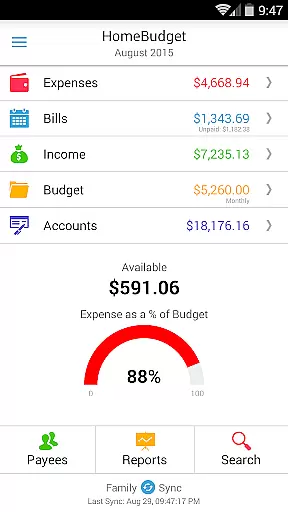
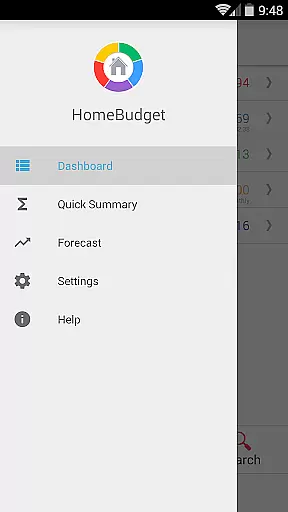
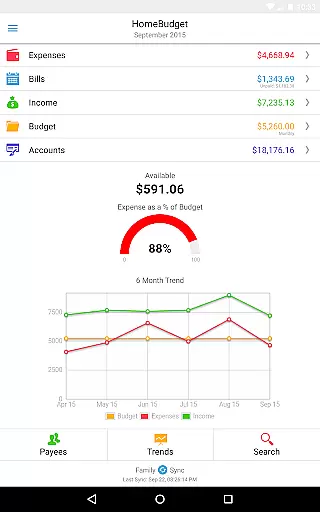
Home Budget with Sync is a comprehensive financial management application designed to help users track expenses, income, bills-due, and account balances across multiple platforms. Available on Android, iPhone/iPad, Windows, and Mac OS, this app offers instant data synchronization between devices, ensuring that your financial information is always up-to-date wherever you are. The app stands out with its integrated feature set, allowing seamless transitions from bill payments to expense tracking and balance adjustments.
One of the key features of Home Budget with Sync is Family Sync, which enables multiple devices within a household to exchange financial information automatically over the air. This allows families to work together within a single budget, making it easier to manage shared expenses and income. Whether you're tracking monthly bills, categorizing expenses, or analyzing financial trends through detailed charts and graphs, Home Budget with Sync provides the tools necessary for effective personal and family financial management.
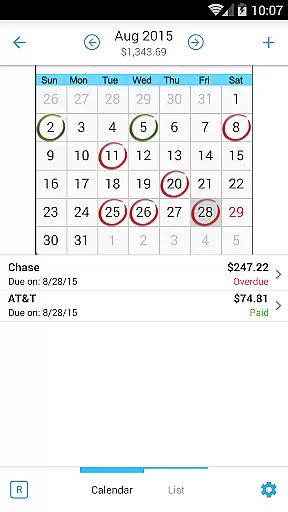
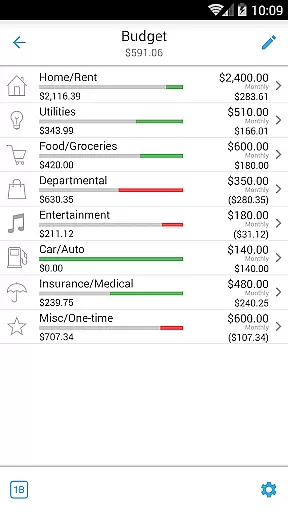
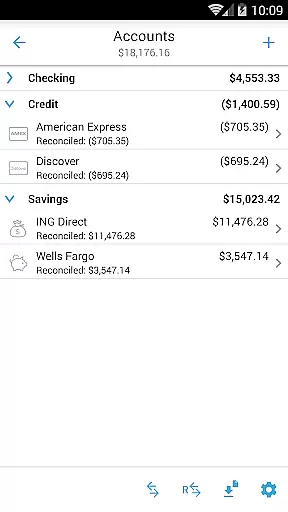
Home Budget with Sync offers an extensive range of features tailored to simplify and enhance personal finance management. Users can create, edit, and delete expenses, income, and recurring bills, with the option to associate these entries with specific accounts and payees. The app supports various account types including checking, savings, credit, debit, and cash, providing accurate tracking of account balances and transactions. With functionalities like bill reminders, calendar views, and the ability to classify expenses into fixed, variable, and discretionary categories, users gain deep insights into their spending habits.
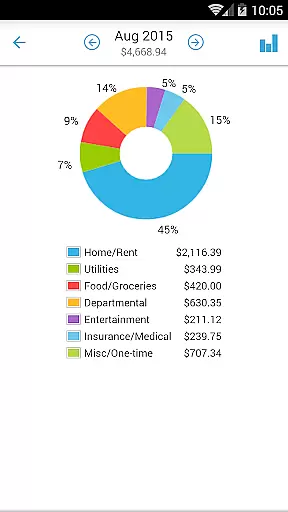
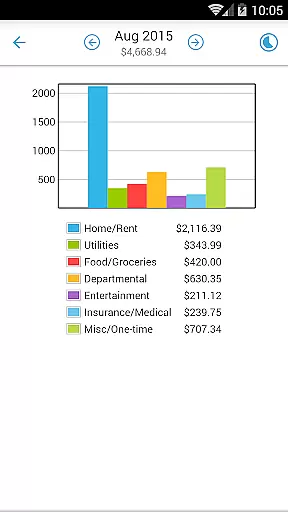
The app's reporting capabilities include trend charts for expenses, budgets, and income over the last six months, as well as pie/bar charts for detailed expense breakdowns. Data can be exported via email or WiFi for further analysis. Additionally, Home Budget with Sync includes practical tools such as a home screen widget for quick expense entry, backup/restore options for complete application data, password protection, and customizable category icons. These features collectively ensure that users have a robust, flexible, and secure platform for managing their finances effectively.
Account and fund security is a critical aspect of any financial management application. Home Budget with Sync ensures the safety of your financial data through multiple layers of protection. The app provides password protection, allowing only authorized users to access sensitive information.
In addition to password security, the application offers a backup and restore feature for complete application data, including all receipts. This ensures that your financial records are safe even in cases of device loss or damage. The automatic data sync between mobile and desktop versions also uses secure transmission protocols.
The app supports various account types including checking, savings, credit, debit, and cash accounts. Each transaction automatically adjusts the corresponding account balance, maintaining accurate financial records. Users can view transactions and transfer between accounts while tracking balances in real-time.
These security measures provide peace of mind for users who want to manage their household budget without compromising their financial information. The combination of local security features and secure cloud synchronization makes Home Budget with Sync a reliable choice for managing personal finances.
A seamless transaction experience is essential for effective financial management. Home Budget with Sync offers an integrated set of features that streamline expense tracking and income management. Users can create, edit, and delete expenses and recurring expenses with ease.
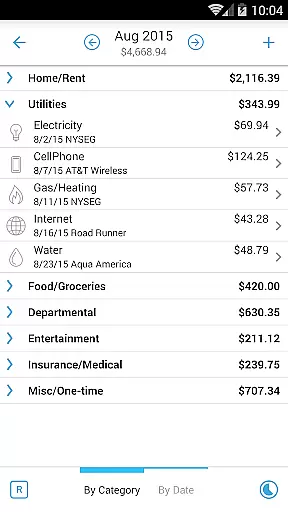
The application allows browsing of expense entries by month, category, or date with drill-down capabilities. This organized approach helps users quickly find specific transactions and analyze spending patterns. Additionally, users can attach photo images of receipts and resize them on screen for easy reference.
For bill management, Home Budget provides calendar and list views with reminder notifications. Users can make payments on bills either as an expense or as a transfer, avoiding double accounting. The app's trend charts and pie/bar graphs offer visual representations of financial data.
With its comprehensive transaction management features and intuitive interface, Home Budget with Sync delivers a user-friendly experience that simplifies personal finance management. The ability to export data and reports by email or via WiFi further enhances the convenience of tracking financial activities.
User-friendly interface
Comprehensive financial tracking
Instant cross-platform sync
Advanced reporting tools
Secure data management
Separate purchase for each OS
Limited free version features
Complex setup for beginners
Occasional sync issues
High cost for full version

Manage your account, make a payment, and redeem your rewards on the go.
 4.50
4.50
Currency Converter supports all currencies of the world.
5.00
Companies owe you money.
4.80
Your Big Financial Friend
4.70
The Citi Mobile® App lets you manage your accounts virtually anytime, anywhere
4.80
Save, spend & get paid faster²
4.50
All expenses at a glance.
4.80
Venmo is the fun and easy way to pay and get paid.
4.10
Send money and bitcoin easily. Invest, bank and do more with your money
4.70
Simple & secure international money transfers - for personal & business needs.
4.80
Currency Converter (200+ currencies) with live exchange rates and offline mode.
4.70
Navigate your unique financial path confidently with help from Credit Karma.
4.70
Pay, bank & build credit.
4.70
Easily invest, save, and plan—all in one app.
4.60
Real-time tracking: Stocks, Indices, Futures, Commodities, ETF, & Funds prices.
4.60
Earn cash & save money daily. Access instant cash advances* - no credit check!
4.50
Manage budget, save money, or file tax. Build, track & improve your credit score
4.40
BTC, Crypto, Stocks & Options.
4.20
Bill Manager is a simple app to help you keep track of your upcoming bills.
4.4


User Reviews