
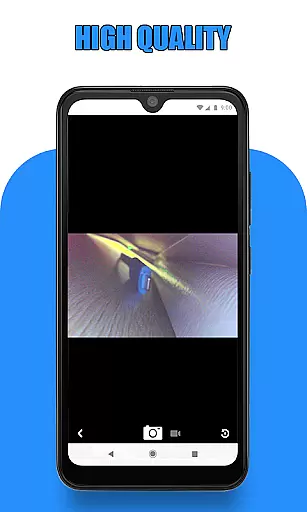
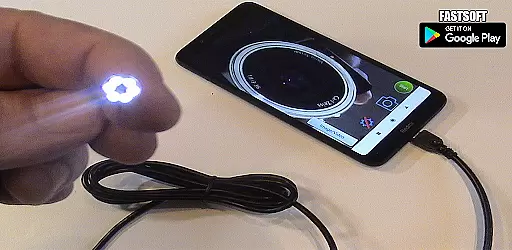
Endoscope Camera Connector is a specialized app designed to connect Android devices with external cameras such as endoscopes, USB cameras, or Borescope cameras. This versatile tool allows users to view live feeds from these devices directly on their smartphones, making it ideal for various inspection tasks.
The app functions similarly to an OTG viewer, enabling users to access and control UVC-compatible cameras through USB OTG or Type-C connections. With essential features like video recording with sound and gallery integration for storing media files, this application provides a comprehensive solution for managing external camera content.
This app is particularly useful in professional settings where detailed inspections are required, such as plumbing maintenance or sewer line examination. By eliminating the need for dedicated hardware, Endoscope Camera Connector offers a cost-effective and portable alternative for visual inspections.
One of the key strengths of Endoscope Camera Connector lies in its robust feature set tailored for camera integration. The app supports various external devices, including Depstech cameras and sewer inspection equipment, providing users with flexibility in their choice of inspection tools.
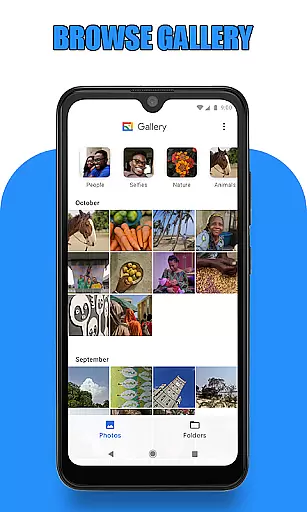
The application's interface includes essential functions such as real-time camera viewing, photo capturing, and video recording capabilities. Users can conveniently access their media library within the app, allowing for easy management of captured images and videos. The gallery feature enables seamless organization and playback of recorded content.
Additional practical features include USB OTG compatibility checking and device support verification. These built-in tools help users ensure their equipment meets the necessary requirements before attempting to connect. The app's ability to handle both picture and video formats makes it suitable for various professional applications.
Endoscope Camera Connector offers a comprehensive solution for connecting your mobile device with various external cameras, including endoscopes, USB cameras, and Borescope cameras. This app ensures that users can access the full functionality of their external devices directly from their smartphones.
The app supports essential features such as video recording with sound and photo capturing, making it versatile for different use cases. Whether you're conducting sewer inspections or examining blocked drains, this app provides the necessary tools to get the job done efficiently.
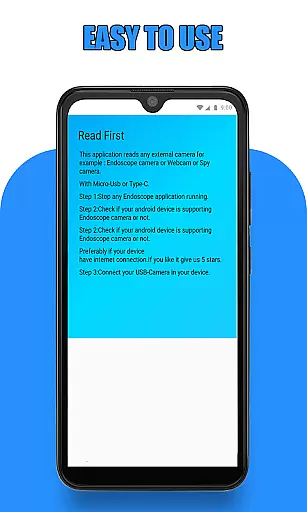
Before using the app, users are guided to check if their device supports USB OTG technology and whether their USB camera is UVC-compatible. These preliminary steps ensure seamless integration and optimal performance, providing peace of mind regarding compatibility issues.
Usability is at the core of Endoscope Camera Connector's design. The app simplifies the process of connecting and utilizing external cameras by offering an intuitive interface that mimics an OTG view. This makes it easy for users to navigate and operate without extensive technical knowledge.
Once connected, users can effortlessly take photos and record videos. The gallery feature allows for easy management of media files, enabling users to view, delete, and organize their captured content with simple gestures. Long-press actions facilitate quick deletions, enhancing operational smoothness.
This streamlined usability extends to practical applications like plumbing repairs and drain inspections. By eliminating the need for additional equipment such as camera drain unblockers, Endoscope Camera Connector empowers users to perform thorough inspections and maintenance tasks with confidence and ease.
User-friendly interface
Wide device compatibility
Real-time camera viewing
Integrated media gallery
Cost-effective solution
Limited iOS support
Device compatibility issues
Requires OTG adapter
No advanced editing tools
Occasional connection problems

Connect and find your Smart Tag 2 devices through our app.
 3.60
3.60
Wireless reverse charging using phone now is possible
4.30
Demo for Key Attestation feature of the Android system.
4.80
Collection of Maps and Mods for Dmod
3.30
Enjoy hours of entertainment with our Roblox mobile games app
4.1
Mirror link car connector to share your screen with car dashboard
3.80
An impressive collection of tools, characters, weapons, skins and more!
4.30
Barcode scanning made simple!
4.40
A Pydroid Quick Install repository provider.
4.00
Read Holy Quran Feel Like Real Quran & Listen Al Quran Mp3 Audio Online Offline.
4.70
TV USB connector app provides you a seamless cast option from your phone to tv.
4.70
The Free Catholic Latin American Bible in complete Spanish
4.60
Do you want to drive easy ? do you wanna full mirror link Mobile with your car
4.10
Demo version of the mcpro24fps manual video camera. Try and buy a full version!
4.00
a wireless controller that provides a seamless and gaming experience for players
3.80
Mirror phone to TV effortlessly! Stream, share & connect with Airplay ease.
3.60
Simulator of real black light
3.50
Looking to connect your phone to your car screen? Mirror Link is the solution.
3.20
A great tool help you to format Micro SD memory Card
3.10


User Reviews