
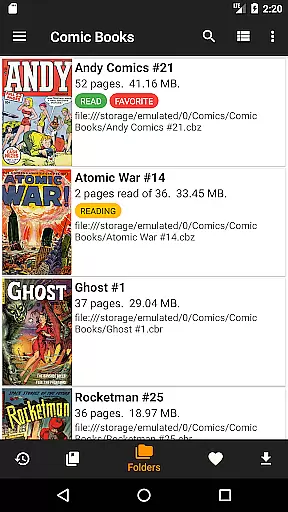
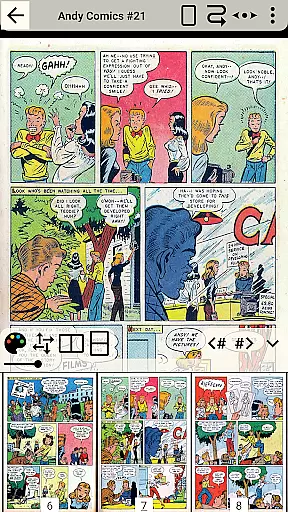
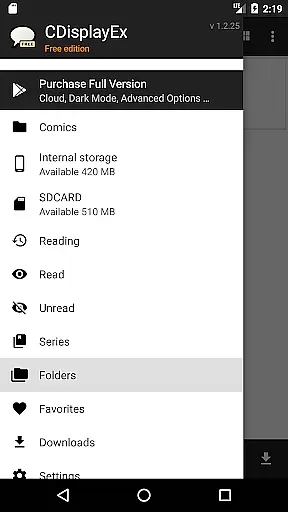
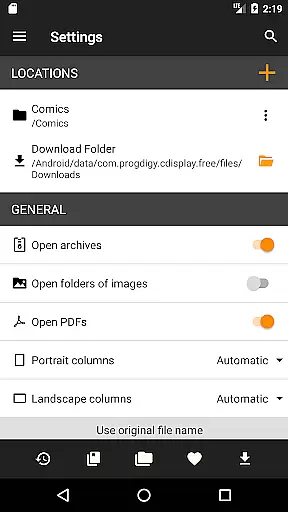
CDisplayEx Comic Reader Lite is a versatile comic book reader designed for seamless reading experiences. This app supports all major comic formats including .cbr, .cbz, and .pdf, making it the go-to choice for comic enthusiasts. Its efficient design ensures instant loading and smooth browsing, whether you're reading individual files or managing an entire library.
The app offers integrated library management, allowing users to organize comics by series and easily find their next read. With additional features like network share connectivity and file preloading, CDisplayEx provides a comprehensive solution for enjoying comics on both phones and tablets.
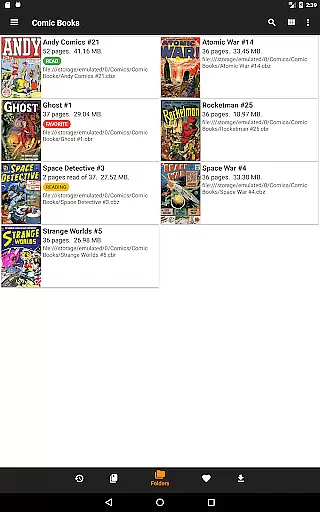
CDisplayEx stands out with its ability to handle various comic formats with ease. The app's interface is designed for intuitive navigation through your folders, ensuring that finding and reading comics is straightforward and enjoyable. Its powerful library management system automatically groups comics by series and suggests the next album in your collection.
Advanced features include network share connectivity, enabling users to access comics stored on remote servers. The app also allows preloading of files, ensuring that your comics are available offline. An integrated search function helps locate specific volumes instantly, enhancing the overall user experience.
CDisplayEx Comic Reader Lite offers an extensive and versatile comic library that caters to a wide range of interests. The application supports all popular comic book formats, including .cbr, .cbz, and .pdf, ensuring that users can access their favorite comics without compatibility issues.
The integrated library management system allows users to organize their collections efficiently. By simply indicating where the comics are stored, the app groups them by series and suggests the next album to read, creating a seamless reading experience. This feature is particularly beneficial for users with large collections, as it simplifies navigation and enhances discoverability.
Additionally, CDisplayEx provides the ability to connect to network shares and preload files onto your device. This ensures that users can enjoy their comics anytime, anywhere, without needing an internet connection. The app's instant loading capability guarantees a smooth and comfortable reading experience.
One of the key strengths of CDisplayEx Comic Reader Lite is its commitment to content authenticity and proper licensing. The app respects copyright laws and encourages users to manage and read only those comics they legally own. This approach not only ensures compliance with legal standards but also supports creators by protecting their intellectual property.
The platform does not host any content itself but focuses on providing a superior reading experience for legitimately acquired comic books. Users can browse through their personal collections effortlessly, thanks to the app's powerful search functionality and efficient file management system.
Furthermore, CDisplayEx emphasizes the importance of accurate metadata and proper authorship attribution. By grouping comics by series and offering suggestions based on existing collections, the app helps maintain the integrity of the original works. This dedication to authenticity and licensing makes CDisplayEx a trusted choice for comic enthusiasts who value both convenience and legality in their reading habits.
User-friendly interface
Supports multiple formats
Instant loading speed
Integrated library management
Network share connectivity
Limited customization options
No cloud sync feature
Occasional bugs reported
Ads in free version
Offline mode only with preloading

TMOLector is an app to read all kinds of manga and stories!
 4.50
4.50
Pocket Toons: Free Webtoons, Comics, & Manga - New Chapter Drops Everyday
4.30
Dive into the App for Premium Comics, Webtoons and Manga!
4.80
Toomics is a premium comic service with every genre for all readers to enjoy!
4.00
This application will enable donated users only function in Perfect Viewer.
4.90
Comic Book Identifier Value - Scan comics & prices. Your comic book price guide!
4.50
Read official webcomics, webtoons, Korean manga & webnovels
3.70
Comics and stories from Japan
4.60
SQUARE ENIX's official Manga app!
4.40
The most popular comic book reader.
4.80
Read your favorite mangas for free
4.50
Manga Reader for Comics, Webtoons & Manhwa. Read Mangas, Chat Stories and Novel.
4.30
Kodansha official Manga app
4.30
Arabic manga reader
4.00
MangaRise - Your Manga and Manhwa Companion
3.90
AsuraScans read manga, manhua, manhwa, and webtoon
3.90
+Not your everyday comic. Everyday.
3.50
More fun from BOM! Hurry up and do the following self-test, if you meet more than one item, come and experience the brand new world of comics!
3.40
Create your personalized cartoon comic strips & comic books.
3.20


User Reviews