

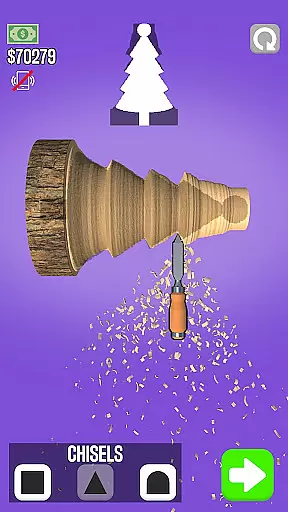


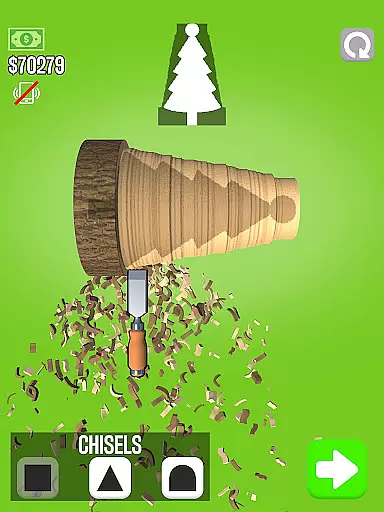
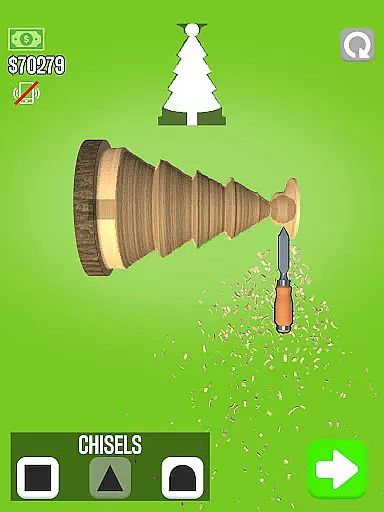




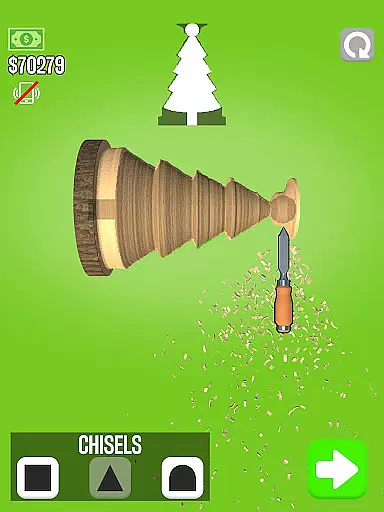
Woodturning is a top-rated simulation app that lets users experience the art of wood crafting. The core functionality revolves around completing customer orders by turning raw wood into specific shapes. Users can cut, carve, polish, paint, and add stencils to their creations, closely simulating real-world woodworking processes. Beyond just crafting, the app also incorporates economic elements where users earn in-game money for each completed project. This virtual income can then be used to upgrade and customize the workshop environment, enhancing both the aesthetic appeal and efficiency of future projects.
The app offers an immersive experience for those interested in craftsmanship or simulation games. It provides a realistic yet relaxing environment to hone your virtual woodworking skills. Whether you're fulfilling detailed customer requests or experimenting with creative designs, Woodturning delivers a comprehensive simulation that captures the intricacies of the craft while offering a satisfying sense of progression.
Woodturning stands out with its rich feature set tailored for simulation enthusiasts. One of the key highlights is the multi-step crafting process which includes cutting, carving, polishing, painting, and adding stencils. Each step requires precision and care, mirroring the complexities involved in actual woodturning. The app also features a customer order system where users receive specific design blueprints to follow, adding a layer of challenge and variety to each project.
Beyond crafting, the economic aspect is another significant feature. Users earn in-game currency by successfully completing orders, which can be reinvested into upgrading tools and personalizing the workshop space. These upgrades not only enhance productivity but also provide a customizable and evolving workspace that grows with the user's progress. Additionally, the app offers various levels of difficulty, catering to both beginners and seasoned players looking for more intricate designs and demanding tasks.
In Woodturning, the economic system is designed to provide a realistic and engaging simulation experience. Players start with basic tools and earn money by completing customer orders.
The game incorporates a dynamic feedback mechanism where each completed project directly impacts your earnings and room improvements. As you progress, you can invest in better equipment, expanding your workshop's capabilities.
This economic depth creates a compelling progression path. The more efficiently you complete orders, the more resources you accumulate to enhance your woodturning business.
Players benefit from strategic financial planning as they balance between reinvesting earnings into their workshop and fulfilling increasingly complex customer requests.
Resource management in Woodturning requires careful consideration of various elements including raw materials, tools, and time. Each project demands specific resources that must be managed effectively to maximize profits.
The game challenges players to maintain an optimal balance between resource acquisition and utilization. You must decide when to purchase new tools versus upgrading existing equipment based on available resources.
This balance extends to managing different types of wood and finishes. Strategic inventory management ensures you have the right materials for each customer order while minimizing waste.
By mastering these resource management aspects, players develop valuable skills in optimization and efficiency, making their virtual woodturning business more successful and profitable.
User-friendly interface
Realistic woodturning simulation
Variety of customization options
Engaging economic system
Regular updates with new designs
Occasional performance lags
In-app purchases can be pricey
Limited free design blueprints
Steep learning curve for beginners
Repetitive tasks over time

Manage the Shelter in Seoul, devastated since the nuclear explosion.
 4.70
4.70
Laugh, play, take care, learn and relax with the cutest virtual friend
4.50
Draw the image and color in the spaces to create the complete picture
4.50
The Ultimate Cosmic Destruction Simulator
4.60
The ultimate off-roading game!
4.60
Lead a Magical School and Cast Spells in an Incremental Game!
4.70
Make a Wizard's journey to find the Philosopher's Stone in an Incremental RPG!
4.80
Experience the sometimes hectic life of a Freddy Fazbear's Pizzeria franchisee.
4.60
Design and paint phone cases, headphones & earbuds in this creative DIY game!
4.40
A town sim where you raise generations of residents.
4.90
Ready to be a billionaire and build your bank empire? Start your adventure now!
4.60
Start painting, match paint, merge colors and get creative in this coloring game
4.60
Farming games: Harvest crops and Grow your own farm
4.60
Pro Wrestling Team Management Sim, Face off with fearsome foes!
4.50
Big Tractors, Big Farms, 1000+ Acres, American Sheds, all on an American Map!
4.40
Build rockets, airplanes, and more and explore highly detailed 3D planets.
4.30
It’s not a bug, it’s a feature
4.20
A babysitting horror game
4.20
40+ original, licensed construction vehicles, over 60 jobs, USA setting.
3.90


User Reviews