
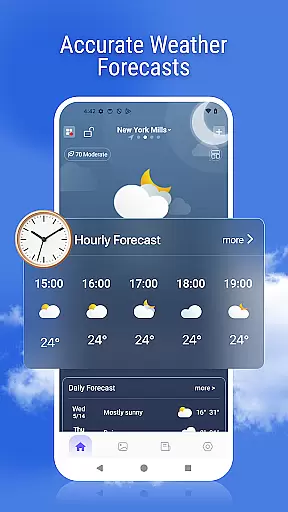
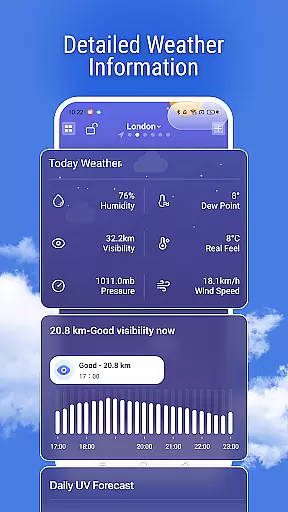
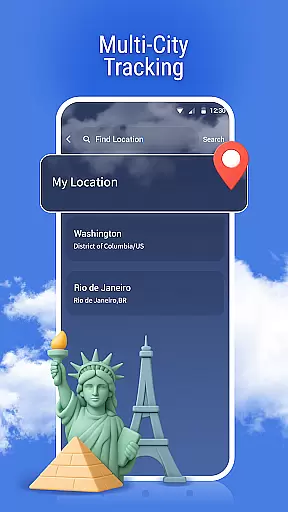
Weather Pro is a comprehensive weather forecasting application designed to provide users with accurate and real-time weather updates. The app's core functionality revolves around delivering detailed weather information, including hourly and daily forecasts, air quality indexes, UV levels, and activity recommendations. Its multi-city tracking feature allows users to monitor weather conditions across different locations worldwide, making it especially useful for frequent travelers or those with loved ones in other regions.
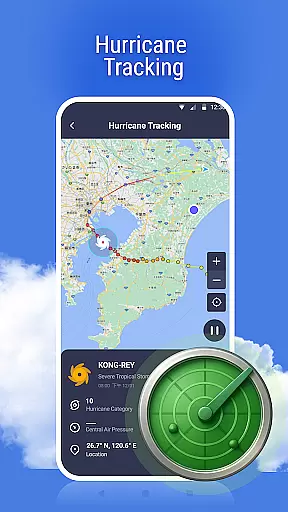
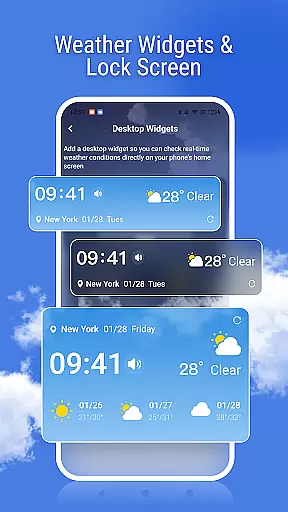
In addition to its forecasting capabilities, Weather Pro offers advanced features such as weather radar maps that display real-time precipitation data and severe weather alerts to keep users safe during unexpected climate events. With dynamic weather backgrounds and customizable widgets, the app provides both aesthetic appeal and functional convenience. Whether planning outdoor activities or simply staying prepared for changing weather, Weather Pro ensures users have all the necessary information at their fingertips.
Weather Pro stands out due to its rich set of innovative features tailored to meet diverse user needs. One of its key highlights is the highly accurate forecasting system, which uses advanced algorithms to deliver precise weather predictions for any global location. Users can access detailed metrics like air quality, health indexes, and UV exposure levels, enabling them to make informed decisions about their daily routines.
The app also includes an interactive weather radar, allowing users to visually track storms and rain patterns in real time. Another notable feature is the ability to add multiple cities for quick reference, ensuring seamless switching between locations. Additionally, Weather Pro enhances user experience through personalized elements such as dynamic wallpapers that reflect current weather conditions and lock screen integration for instant updates. These thoughtful design choices not only improve usability but also create a more engaging interface compared to traditional weather apps.
Weather forecasting apps must prioritize accuracy and credibility to ensure users can make informed decisions. Weather Pro achieves this by employing advanced meteorological algorithms and data sourced from reputable weather services worldwide.
The app provides precise hourly and daily forecasts, giving users reliable information about temperature changes, precipitation probabilities, and other critical weather conditions. This level of detail empowers users to plan their activities with confidence, knowing they have trustworthy data at their fingertips.
Additionally, Weather Pro offers specialized indices such as air quality, UV levels, and health recommendations. These features not only enhance user experience but also contribute to personal safety and well-being. With verified data sources and comprehensive updates, Weather Pro ensures that its forecasts remain dependable in various scenarios.
A robust weather app should offer extensive temporal and spatial coverage to meet diverse user needs. Weather Pro excels in this area by delivering wide-ranging forecasts across different timeframes and geographical locations.
Users can access real-time weather updates along with long-term predictions spanning several days. This flexibility allows individuals to prepare for both immediate and future weather events effectively. Moreover, the app supports multi-city tracking, enabling users to monitor weather conditions in various cities simultaneously.
With integrated radar maps, Weather Pro visualizes rain and storm movements, enhancing situational awareness. Such tools are invaluable for travelers, outdoor enthusiasts, and professionals who rely on accurate, location-specific weather insights. By combining broad forecast ranges with detailed mapping capabilities, Weather Pro stands out as a versatile weather companion.
User-friendly interface
Accurate forecasts
Multi-city support
Real-time alerts
Customizable widgets
Premium subscription required
Occasional ads
Limited free features
Data usage concerns
Regional limitations

The Weather Network TV App - Your weather when it really matters
 2.90
2.90
Local weather forecast, reliable daily weather report
4.30
Weather - Local weather forecast, weather daily & hourly, weather radar
4.80
My Aurora Forecast is the app for Northern Lights and Aurora Borealis alerts.
4.60
Powerful US and worldwide earthquake feed with earthquake alerts and maps.
4.60
72-hour weather & daily forecasts with extreme weather alerts
4.60
Determine Best Hunting Times for any date, any location.
2.50
Powerful US and worldwide earthquake feed with earthquake alerts and maps.
4.70
Local forecast, alerts, rain, snow and wind radar, air quality & weather widget
4.60
Local weather forecast app, your personal 7*24 local weather forecast assistant.
4.90
No ads, No data collected. Beautiful and powerfully customizable weather app
4.90
Weather Forecast, Trending News, Hurricane & Storm Tracker, Alerts & Live Radar.
4.80
View weather widget and map. Wind direction and speed. Tides times and waves
4.70
Super-res, real-time weather radar. Be prepared for extreme weather.
4.50
Room Temperature Thermometer meter shows indoor, outdoor temperature, humidity.
4.40
Your Personal Weather Assistant
4.00
Know the weather earlier.
3.90
A tool that provides real-time and 5-day weather info.
4.3
Dynamic weather watch face with glass effect, bold time & 7 complications.
4.2


User Reviews