
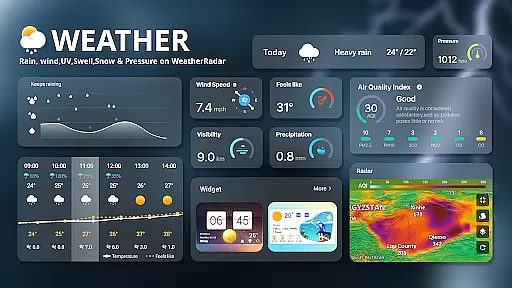
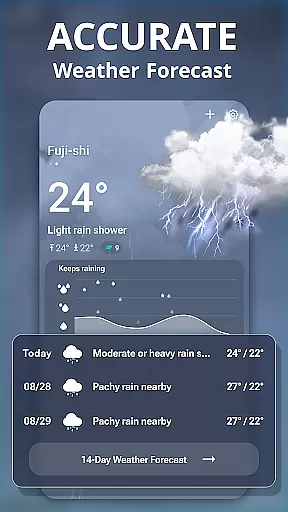
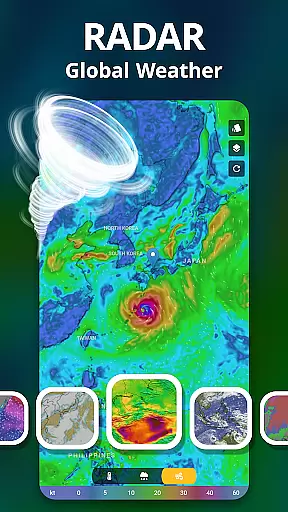
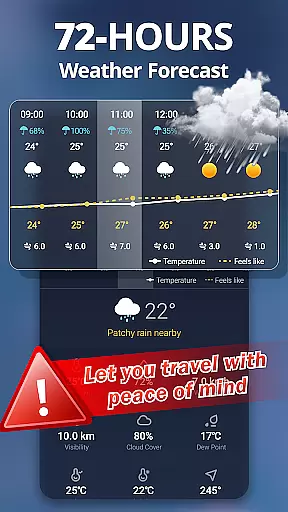
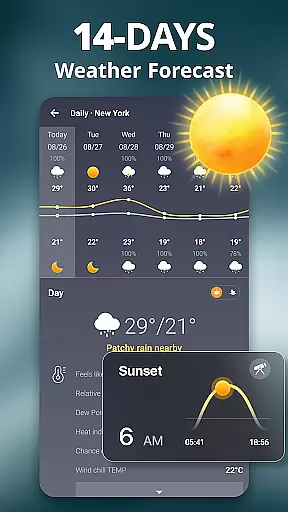
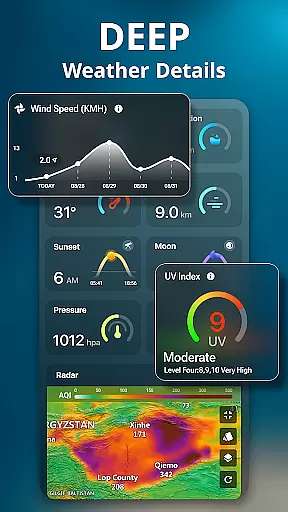
Weather Live is a comprehensive weather application designed to provide users with detailed and real-time weather information. The app offers a wide array of features including temperature, wind speed, humidity, visibility, and precipitation data. Whether you are planning a flight, road trip, or outdoor activities like fishing and barbecues, Weather Live helps you make informed decisions by providing accurate forecasts.
In addition to basic weather details, the app includes advanced functionalities such as 72-hour and 10-day weather forecasts, live weather updates, and global weather radar capabilities. Users can also receive prompt weather alarms for severe conditions, ensuring they are always prepared. With its user-friendly interface and customizable backgrounds that change according to real-time weather, Weather Live ensures a comfortable and engaging user experience.
The app's value extends beyond everyday use; it provides health and daily life indices such as sunrise and sunset times, air quality, and UV index. Furthermore, it supports multiple weather data sources, allowing users to choose from AccuWeather, Weather Bit, World Weather Online, and Open Weather. Available on Android, Weather Live combines beauty with functionality, making it an essential tool for staying informed about the weather.
Weather Live stands out due to its extensive range of features tailored to meet various user needs. One of its primary offerings is the all-encompassing weather information display, which includes temperature, wind details, humidity, visibility, and precipitation data. This allows users to have a complete understanding of current and upcoming weather conditions, facilitating better planning and decision-making.
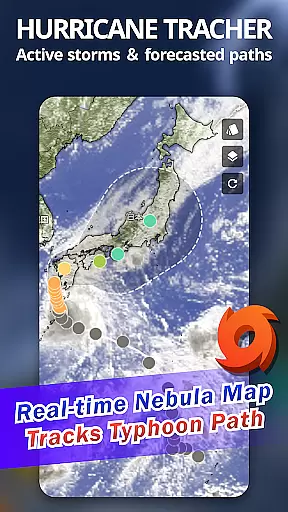
A significant feature of Weather Live is its full weather report capability, which provides 72-hour and 10-day forecasts, hourly and daily weather updates, and live weather conditions. Additionally, the app includes global weather radar and Doppler radar functionalities, enabling users to monitor local weather patterns and prepare for severe weather events such as earthquakes and typhoons. The prompt weather alarm system alerts users about adverse weather conditions, reminding them to take necessary precautions.
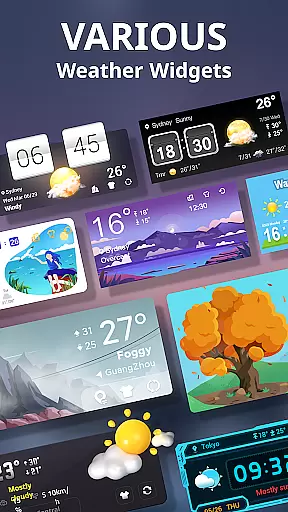
Another notable aspect is the app's visually appealing design, featuring changeable backgrounds based on real-time weather. It also offers health and daily life indices, including sunrise and sunset times, air quality, and UV index. With support for multiple weather data sources and beautifully styled widgets for Android home screens, Weather Live ensures users have access to precise and reliable weather information in a format that suits their preferences.
Weather forecasting accuracy is crucial for planning daily activities and making important decisions. Weather Live employs advanced algorithms that aggregate data from multiple reliable sources such as AccuWeather and Weather Bit to ensure the most precise weather predictions possible.
The app provides a comprehensive suite of weather data, including temperature highs and lows, wind speed and direction, humidity, and UV index. This detailed information allows users to prepare adequately for their day, whether they need to grab an umbrella or apply extra sunscreen.
With real-time updates and live weather conditions, users can trust Weather Live to keep them informed about sudden weather changes. The app's commitment to data credibility means that users receive notifications about severe weather events like heavy rain or typhoons with ample time to take necessary precautions.
A robust weather application must offer extensive temporal and spatial forecast coverage. Weather Live excels in this area by providing users with 72-hour and 10-day weather forecasts, ensuring they have a clear understanding of upcoming weather patterns.
In addition to extended forecasts, the app includes hyper-localized weather data, giving users insights into micro-climate conditions specific to their location. This feature is particularly beneficial for those engaging in outdoor activities such as fishing or barbecuing, where localized weather knowledge is essential.
Users also benefit from interactive weather maps and radar images that display typhoon tracks, rain cloud movements, and temperature graphics. These tools enable users to visually assess weather conditions and make informed decisions based on the spatial forecast range provided by Weather Live.
User-friendly interface
Accurate forecasts
Customizable backgrounds
Multiple data sources
Comprehensive weather details
Limited iOS availability
Some features require premium
Occasional data delays
Ads in free version
Complex for beginners

A tool that provides real-time and 5-day weather info.
 4.1
4.1
Hurricane Tracker, Rain Map
4.80
Super-res, real-time weather radar. Be prepared for extreme weather.
4.50
Your Personal Weather Assistant
4.00
Accurate Weather App: various widgets, real-time storm radar, hurricane tracker.
4.50
Weather watch face for Wear OS 5+
4.10
Local forecast, alerts, rain, snow and wind radar, air quality & weather widget
4.60
Stay Ahead Of Changing Weather Conditions
4.00
Your ultimate app for real-time weather information!
4.70
Weather for Indiana, Kentucky and Ohio
4.90
My Tide Times Pro is the only tide tables and forecasts application you'll need.
4.80
Weather Forecast, Trending News, Hurricane & Storm Tracker, Alerts & Live Radar.
4.80
Live Alabama weather from James Spann—forecasts, radar, alerts, Spanncams.
4.70
Get accurate rainfall and snowfall totals for pinpoint locations on a map.
4.60
Industry leading whitetail movement predictor & hunting app.
4.60
Get the ad-free version of the highly rated WeatherBug app for accurate weather!
4.50
Arrive safely! Travel weather forecasts for your entire trip at time of arrival.
3.60
Instant weather updates, easy to check anytime on your home screen.
3.50
Advanced weather toolkit, providing detailed weather information for any season!
3.50


User Reviews