
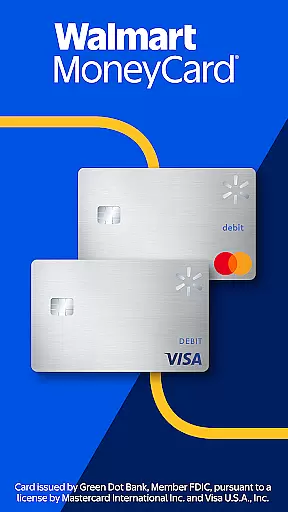
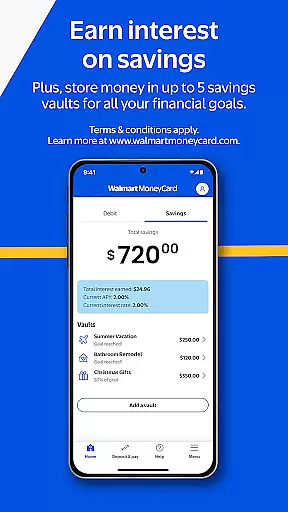
Walmart MoneyCard is a comprehensive financial management app that offers users the ability to manage their finances with ease. The app provides early pay days through direct deposit, cash back on purchases at Walmart and Walmart.com, and access to overdraft protection with eligible direct deposits. It also allows users to earn interest on savings and store money in up to 5 savings vaults for various financial goals.
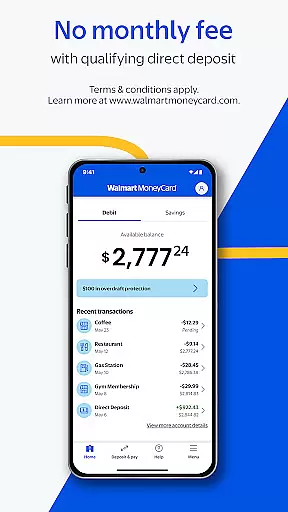
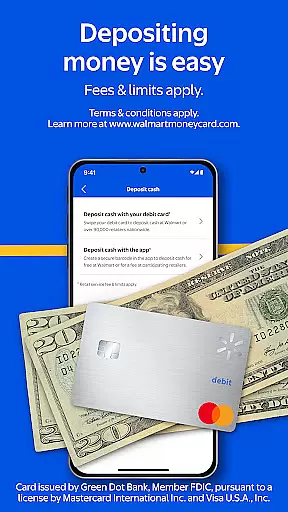
The Walmart MoneyCard can be used for purchases wherever Debit MasterCard or Visa debit cards are accepted in the U.S., without any minimum balance or credit check required to obtain the card. Users can deposit money easily through direct deposit, adding funds from a linked bank account, cash reloads at Walmart stores, or by depositing checks using their smartphone. This app is ideal for individuals seeking a flexible banking solution with no monthly fees when qualifying direct deposits are made.
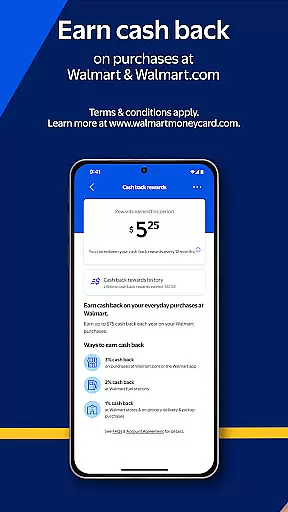
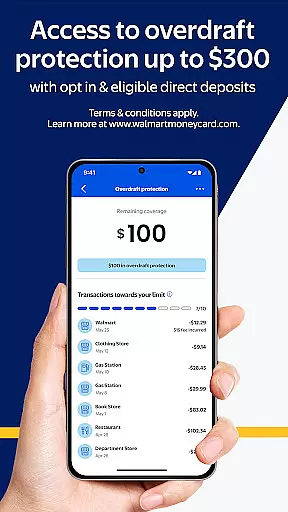
One of the standout features of the Walmart MoneyCard app is its ability to provide users with early pay days through direct deposit, which can significantly improve cash flow management. Additionally, users can earn cash back on purchases made at Walmart and Walmart.com, providing an added incentive for shopping with this retailer. The app also offers access to overdraft protection up to a specific limit with eligible direct deposits and opt-in, ensuring users have a safety net when needed.
Another key feature is the ability to earn interest on savings and allocate funds into different savings vaults dedicated to various financial goals such as a vacation fund or college fund. With no minimum balance or credit check required to get a card today, it's accessible to a wide range of users. Depositing money is straightforward, with options including direct deposit, linking a bank account, cash reloads at Walmart stores nationwide, and depositing checks via smartphone.
Account and fund security is a critical aspect of any financial application, ensuring that users' personal and financial information is protected from unauthorized access. The Walmart MoneyCard app employs advanced encryption protocols and multi-factor authentication to safeguard user data. These security measures are designed to provide peace of mind to users, assuring them that their transactions and account details are secure.
The app's security features include real-time fraud monitoring, which detects and alerts users to any suspicious activity on their accounts. This proactive approach helps in mitigating potential threats before they can cause harm. Additionally, the requirement for identity verification during account activation adds an extra layer of security, ensuring that only verified users can access the full range of app features.
For users, this means that their financial activities, from direct deposits to cash reloads, are conducted in a secure environment. The protection extends to all transactions made with the Walmart MoneyCard, whether shopping online at Walmart.com or making purchases at physical locations where Debit MasterCardu00ae or Visau00ae debit cards are accepted. With these comprehensive security measures, users can confidently manage their finances without worrying about unauthorized access or data breaches.
A seamless transaction experience is essential for maintaining user satisfaction in financial applications. The Walmart MoneyCard app offers a user-friendly interface that simplifies the process of conducting transactions. Whether it's depositing checks through the smartphone camera, adding money from a linked bank account, or utilizing cash reloads at Walmart stores, each step is designed to be intuitive and efficient.
Real-time notifications play a crucial role in enhancing the transaction experience. Users receive instant updates on their financial activities, such as early pay days with direct deposit and cash back rewards on purchases. This immediate feedback allows users to stay informed about their account status and make timely financial decisions. Moreover, the absence of a minimum balance requirement or credit check facilitates easy access to the card, making banking more inclusive.
By integrating various methods of depositing funds and providing clear terms and conditions, the app ensures transparency and convenience. Users can enjoy the flexibility of managing their finances on-the-go, knowing that they have control over their funds with minimal hassle. The Walmart MoneyCard app thus delivers a reliable and accessible transaction experience, catering to the diverse needs of its users while upholding high standards of security and service quality.
User-friendly interface
Early pay day option
Cash back rewards
No monthly fee
Multiple savings vaults
Requires identity verification
ATM access fees
Limited to U.S. usage
Eligibility criteria for benefits
Potential overdraft fees

Manage your account, make a payment, and redeem your rewards on the go.
 4.50
4.50
The Citi Mobile® App lets you manage your accounts virtually anytime, anywhere
4.80
Invest, bank & save in one app. Trade stocks, earn high APY & budget smarter.
4.00
Check EBT, SNAP, WIC balances, manage food stamps, and save money with benefits
4.80
NFC mobile payment app Use your phone as a contactless bank card
4.00
Manage budget, save money, or file tax. Build, track & improve your credit score
4.40
SuperQi, Your all-in-one Super App.
1.30
Trade NFL, NBA, Crypto, Tech
4.50
The PayPal app is the secure way to send and receive money, shop and pay in 4.
4.20
Manage your Discover account conveniently from anywhere.
4.80
PayMe helps you claim money from settlements on companies that harmed you.
4.80
No credit checked needed.
4.80
Get 250$ Cash Advance to solve emergencies instantly in loan app called LendMe
4.70
Get a cash advance instantly. File taxes & cover unexpected bills in minutes.
4.60
Early payday & cash advances with no-fee mobile banking!
4.60 4.50
4.50
Save, spend & get paid faster²
4.50
All your crypto & stocks in one secure and trusted app.
4.40
Secure Amex Account Access: View Balance, Make Payments, Redeem Rewards & more
3.60


User Reviews