
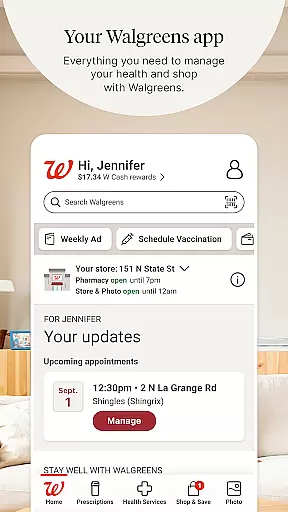
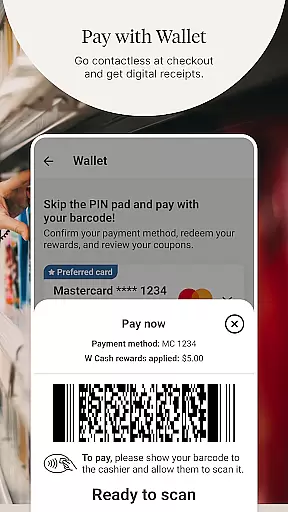
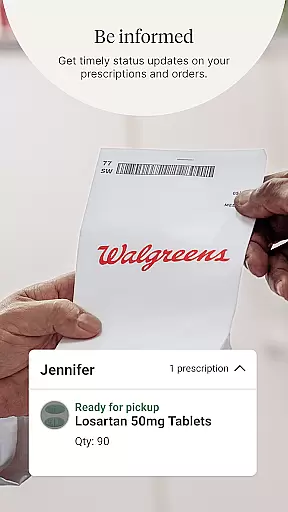
Walgreens is a comprehensive shopping and health management application that allows users to conveniently manage prescriptions, shop for essentials, and access various health services. The app's core functionality revolves around its pharmacy services, enabling users to refill prescriptions by simply scanning the bottle, receive refill updates, and track orders for their entire family. Additionally, Walgreens offers free 24/7 prescription advice through Pharmacy Chat, ensuring users have access to professional guidance whenever needed.
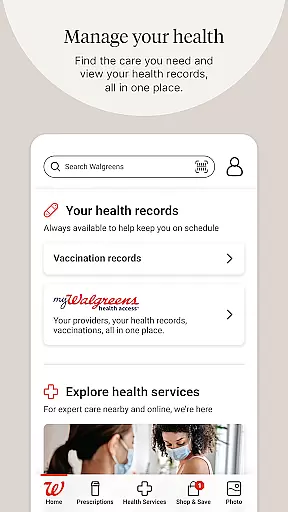
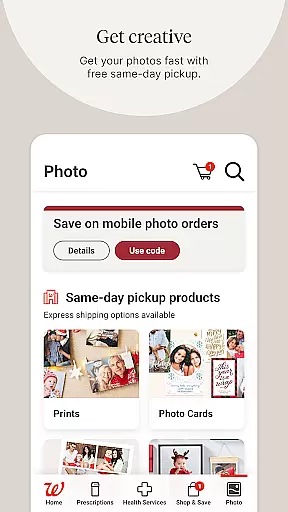
Beyond pharmacy services, the app provides an array of health services including booking vaccinations, scheduling COVID-19 and flu tests, and facilitating virtual healthcare visits. Users can also explore personalized health support options for conditions like diabetes and mental health. For those interested in photo printing, Walgreens allows customers to upload photos from their devices to create customized prints and gifts, with the option for same-day pickup. The shopping section features deals, coupons, and cash rewards, making it a one-stop solution for both health and retail needs.
Walgreens stands out with its diverse range of features tailored to enhance user convenience and health management. One of its primary features is the ability to manage prescriptions effortlessly; users can scan prescription bottles to refill medications, receive timely alerts, and utilize auto-refill options to ensure they never miss a dose. The inclusion of daily medication reminders further supports adherence to treatment plans. Additionally, the Pharmacy Chat feature connects users with pharmacy experts round the clock, offering free advice on prescriptions and general health inquiries.
The app extends its utility beyond pharmacy services by providing comprehensive health solutions. Users can book appointments for vaccinations and diagnostic tests, such as COVID-19 and flu screenings, directly through the app. Virtual healthcare visits offer consultations for non-emergency conditions at any time, enhancing accessibility to medical care. Moreover, Walgreens enriches the shopping experience by integrating photo services where users can design custom photo products and benefit from regular promotions. With functionalities like same-day pickup and personalized offers, the app ensures a seamless blend of health and retail services.
When it comes to shopping apps, product variety and clear categorization are essential for a seamless user experience. The Walgreens app excels in this area by offering a wide range of products neatly organized into distinct categories.
Users can easily browse through essentials, health items, photo services, and more without feeling overwhelmed. Each category is thoughtfully designed, ensuring that customers find exactly what they need quickly. This logical arrangement saves time and enhances the overall shopping experience.
Moreover, the app provides specialized sections like pharmacy, photo printing, and health services, catering to diverse customer needs. These dedicated areas not only improve navigation but also highlight Walgreens' comprehensive service offerings.
The ability to efficiently locate products within well-structured categories significantly boosts customer satisfaction. Shoppers can effortlessly refill prescriptions, book health services, or create personalized photo gifts, knowing that each item is where it should be.
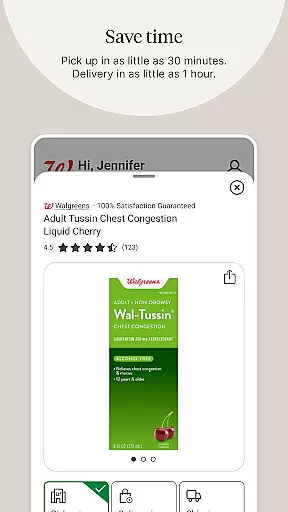
Pricing transparency is crucial for building trust with users, and the Walgreens app ensures that customers always know what they're paying for. The app clearly displays prices for all products and services, eliminating any guesswork during the shopping process.
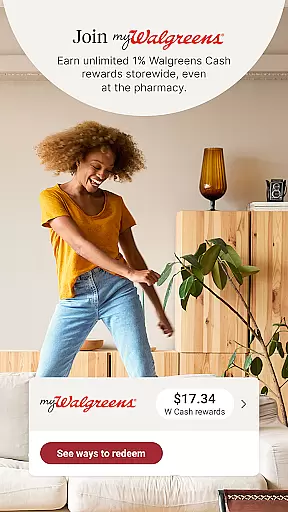
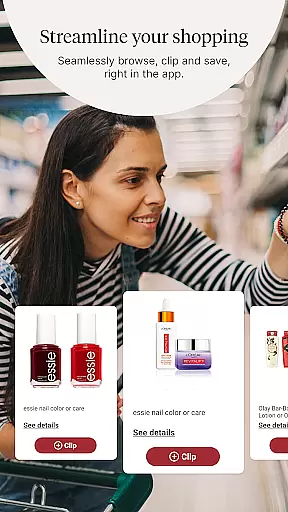
In addition to transparent pricing, Walgreens offers competitive rates across its product range. Users can access exclusive deals, clip coupons, and earn cash rewards directly through the app. These features provide significant savings while maintaining price visibility.
The app goes further by integrating weekly ads and promotional offers, keeping shoppers informed about current discounts. This approach not only maintains pricing integrity but also enhances the perceived value of purchases made through the app.
By combining clear pricing information with attractive savings opportunities, Walgreens creates a shopping environment where customers feel confident and valued. This transparency ultimately leads to increased user loyalty and trust in the brand.
User-friendly interface
Comprehensive health services
Free prescription advice
Customizable photo products
Personalized shopping deals
Limited international use
Occasional bugs reported
Dependent on store locations
Some features require account
Promotions vary by region

With the IKEA app, you can explore, shop for furniture, and check out—simply.
 4.70
4.70
Healthy living for less just got easier with our updated Sprouts App.
4.50
Cash back on everything you need! Join now to start earning cash back!
4.60
New styles & exclusive offers
4.80
Online Marketplace: Resell vintage clothing, thrift & shop second hand items
4.70
Easily split payments online & in-store. Buy now & pay later with Zip.
4.80
The Costco Mobile App is the easiest way to save time and money on the go.
4.70
Lowe’s Knows Home Improvement
4.70
Shop and save from anywhere.
3.60
Stop overpaying. Grab coupons & deals for Walmart, Target, Amazon & more.
4.80
Shop stores, delivery & pickup
4.80
Shop, plan, order, and save
4.70
Shop, sell, & discover savings in our marketplace. Buy and sell clothing & more.
4.50
Buy & sell local items. Find amazing deals. Join the largest mobile marketplace!
4.40
TikTok Shop is an integrated e-commerce platform within the TikTok app, allowing users to discover and purchase products directly through short videos and live streams.
4.10
Buy now, pay later with flexible payments made to fit your budget.
4.00
Grooming, Training & Shopping
3.80
We constantly evaluate our app so you can have the best experience possible.
3.60
Create Wishes & Get Inspired
3.20


User Reviews