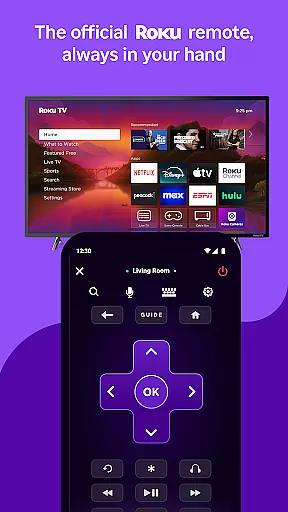
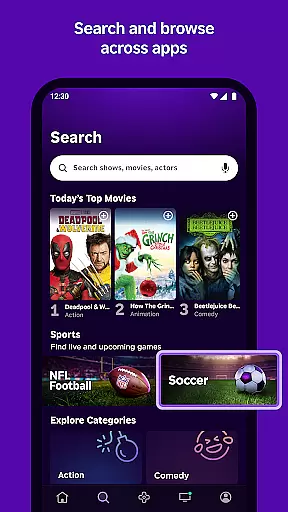
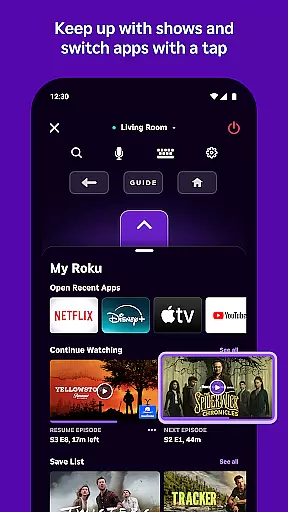
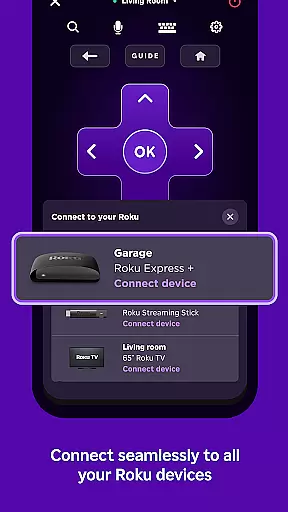
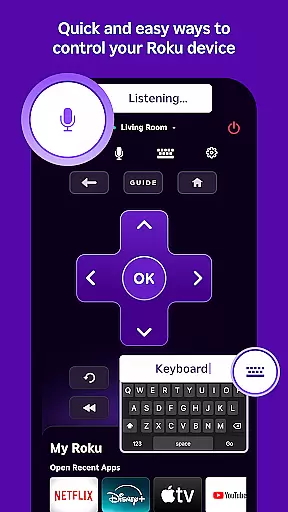
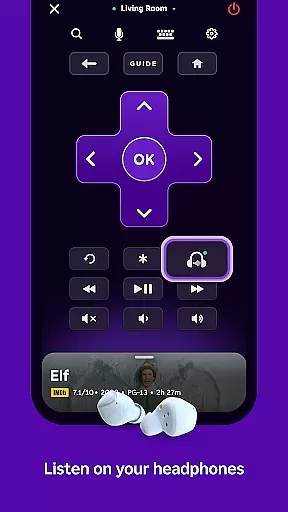
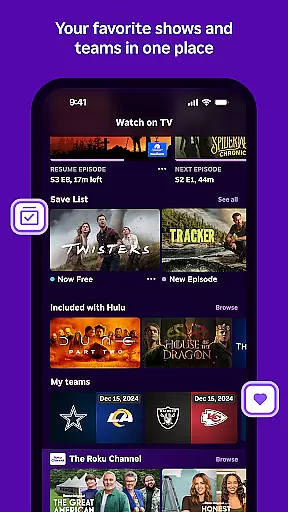
The Roku App serves as an essential streaming companion, offering users a versatile set of tools to enhance their entertainment experience. With this app, you can control Roku devices using a convenient remote interface, search for content via voice or keyboard, and enjoy private listening through headphones. It also allows streaming of free movies and live TV on the go with The Roku Channel, casting media files from your phone to your TV, adding and launching channels, and simplifying text entry on Roku devices with a mobile keyboard.
Designed for seamless integration, certain features require your mobile device to be connected to the same wireless network as your Roku device. While some functionalities like voice search are available in specific regions and languages, others such as The Roku Channel are limited to the US. This app is ideal for those looking to streamline their streaming activities and manage their Roku devices more efficiently.
The Roku App boasts a variety of features that cater to both convenience and entertainment. One standout feature is its ability to function as a remote control for Roku devices, providing users with an intuitive interface to manage their streaming activities. Additionally, the app supports voice and keyboard search, allowing for quick access to desired content without the hassle of manual navigation.
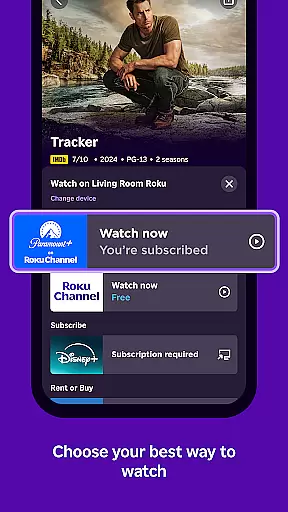
Another significant feature is the inclusion of The Roku Channel, which offers free movies and live TV, accessible directly from the app. Users can also cast personal media files, including videos and photos, from their mobile devices to their TVs. Moreover, the app simplifies channel management by enabling users to add, launch, and organize channels effortlessly. These features collectively ensure a user-friendly and enriched streaming experience tailored to individual preferences.
The Roku App offers a diverse range of entertainment options, ensuring users have access to the latest and most popular content. With The Roku Channel, users can stream free movies and live TV directly on their mobile devices, providing an extensive selection of viewing choices.
Users are not limited to pre-installed channels; they can add and launch new channels on their Roku devices through the app. This flexibility allows for personalized content curation, keeping the entertainment experience fresh and engaging.
In addition to streaming, the app supports casting media files from your phone, such as videos and photos, to your TV. This feature expands the content variety, enabling users to enjoy personal media alongside the app's streaming offerings.
The Roku App is designed to maximize user engagement by offering features that encourage prolonged use. Voice search functionality in multiple languages makes it easy and quick to find desired content, thus retaining user interest and reducing search fatigue.
Private listening with headphones enhances user engagement by allowing entertainment consumption at any time without disturbing others. This feature is particularly appealing for night owls or those who share living spaces, promoting longer viewing sessions.
Moreover, the convenience of controlling Roku devices with a mobile remote and entering text with a mobile keyboard simplifies interaction, making the overall experience more enjoyable. These user-friendly features contribute significantly to user retention by removing common usage barriers.
User-friendly interface
Voice search functionality
Private listening mode
Free movie streaming
Mobile device casting
Limited regional features
Requires Wi-Fi connection
Some channels require payment
Feature availability varies
Account login necessary

Journey to the world’s oldest rainforest and meet its Indigenous Custodians.
 4.3
4.3
Atomus is a 10-finger multi-touch interactive visualizer.
4.30
Series,Películas y Telenovelas
4.50
NFL, NBA, NHL, MLB, local sports coverage, shows, movies & news!
3.20
Geooh GO is the most feature rich geocaching app available today.
4.50
Daily immersive workout plan: Body warm up & finger yoga exercises
3.80
Catch the latest episodes of The Voice or live stream NFL games with The NBC App
4.20
Your Avatar, Endless Fun
4.60
Bold original series & hit movies that don't hold back.
4.40
Watch Reels, Drama Shorts & TV Series Anytime. Download DramaWave Now!
4.70
Live TV, sports & holiday movies — stream on phone, tablet & TV
4.60
Stream Movies & TV Series: Original Shows, Family Movies & New Releases Weekly
4.60
Direct access to the most complete Guitar Tab Archive in Spanish: LaCuerda.net
4.60
Create, chat & bond with AI souls who truly listen.
4.50
Official KennysGifs Stickers
4.20
A companion app for the game Elite Dangerous
4.10
Fool your friends & Family with Fake ultrasound test report
3.60
VR 360 Cinema Player is the ultimate VR player for playing videos on mobile
3.50
Neon Christmas Tree Animated: Festive Wear OS watch face with fitness info
4.5


User Reviews