

TeamSnap is a leading Sports Management app designed for coaches, sports organization administrators, and parents involved in youth sports. This powerful tool simplifies the complex operations of managing sports teams, clubs, or leagues by centralizing communication, scheduling, registration, and financial management. With over 24 million users, TeamSnap supports various sports including soccer, ice hockey, baseball, basketball, and more.
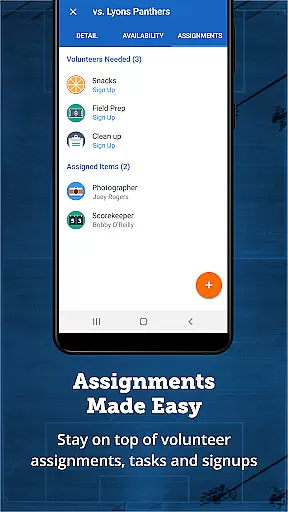
The app's core strength lies in its ability to streamline team management tasks. Coaches can efficiently communicate with players and parents through individual or group messages, manage rosters, track player availability, and create detailed schedules. Administrators benefit from advanced features like mass communication tools, automated scheduling, integrated registration systems, and robust financial tracking. By consolidating these essential functions into one platform, TeamSnap enables users to focus on player development and creating exceptional sports experiences.
Whether you're coaching a local youth soccer team or managing a competitive club across multiple sports, TeamSnap provides the tools needed to run your organization smoothly. The app's comprehensive feature set helps save time, reduce administrative burdens, and enhance the overall sports management experience for everyone involved.
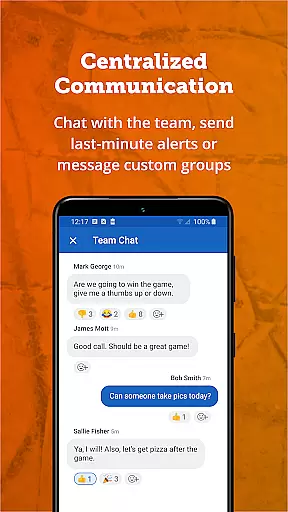
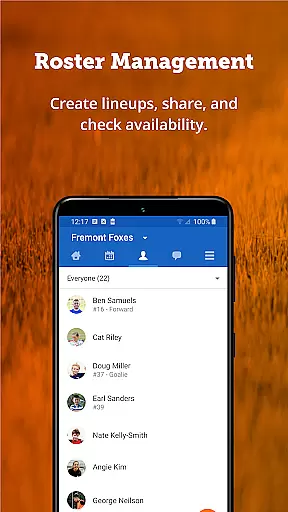
TeamSnap distinguishes itself through its comprehensive feature set tailored specifically for sports management. The app's communication tools allow coaches to send push notifications, SMS alerts, and group messages, ensuring everyone stays informed about team activities. Its roster management system enables seamless organization of player information, game-day lineups, and contact details in one centralized location.
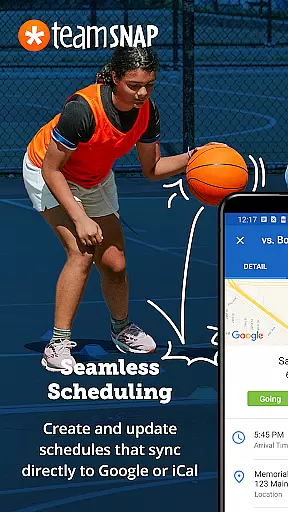
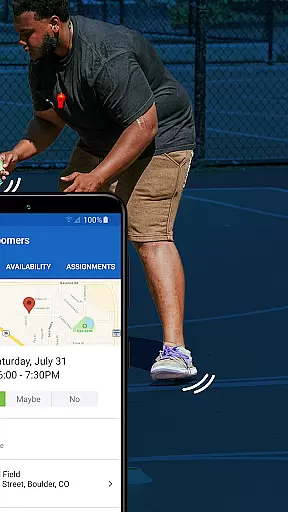
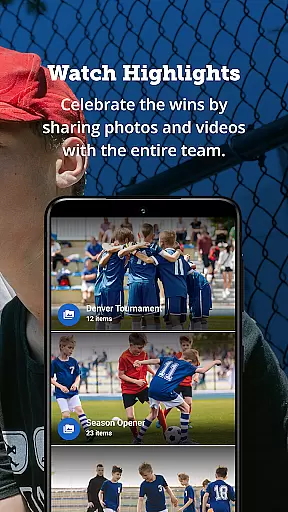
For scheduling, TeamSnap offers advanced capabilities including availability tracking, schedule importing, and automated event creation. The app goes beyond basic scheduling by providing real-time game updates and Postgame Reports that include player statistics and photo sharing. Sports organization administrators benefit from sophisticated tools like mass messaging across multiple teams, automated scheduling for entire leagues, and detailed financial reporting features.
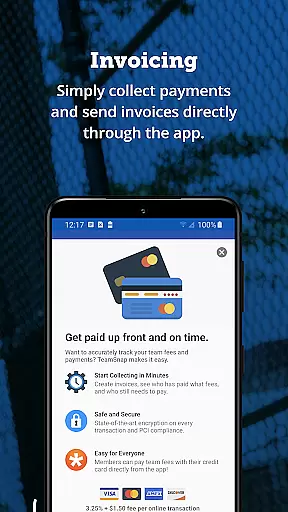
One of TeamSnap's standout features is its integrated registration system, which allows organizations to collect player information, documents, and waivers while processing payments directly through the platform. The financial management tools enable administrators to track payments, view outstanding balances, and receive funds directly into their bank accounts. These features collectively create a comprehensive ecosystem that addresses nearly every aspect of sports organization management.
Gameplay realism in sports management apps refers to how accurately the digital experience mirrors real-world sports management. TeamSnap excels in this area by offering features that closely mimic the actions and planning that coaches and team managers engage in regularly.
The app provides tools for managing rosters, setting game-day lineups, and tracking player availability, all of which contribute to a realistic management experience. These features ensure that coaches can plan and execute their strategies as if they were operating within a real-world scenario, enhancing the authenticity of the management process.
For users, this means an intuitive and seamless experience that doesn't require a steep learning curve. The app's design ensures that even those new to digital management can quickly adapt and utilize its full potential, making it an invaluable tool for both novice and experienced coaches alike.
Ultimately, the realism and accuracy offered by TeamSnap translate into tangible benefits such as time savings and improved team performance, allowing coaches to focus on player development and delivering a superior sports experience.
Control scheme intuitiveness is crucial for ensuring that users can efficiently interact with an application without frustration or confusion. In the context of TeamSnap, this translates to an interface that allows coaches, administrators, and parents to manage their sports teams with ease and confidence.
TeamSnap offers a straightforward and clean user interface where essential features like communication, scheduling, and financial management are easily accessible. This simplicity is evident in the way users can send messages, schedule events, and handle payments without navigating through complex menus or options.
Users benefit from this intuitive design as it reduces the time needed to perform critical tasks. Whether updating a roster or sending out a last-minute practice change notification, the app's responsive and logical control scheme ensures that these actions can be completed swiftly and accurately.
This emphasis on an intuitive control scheme not only enhances user satisfaction but also encourages consistent use of the app, leading to better organization and more time spent on actual gameplay rather than administrative tasks.
User-friendly interface
Comprehensive feature set
Excellent customer support
Wide sports compatibility
Robust security measures
Premium subscription required
Steep learning curve
Limited free features
Occasional bugs
High cost for small teams

Feel combo thrills in Challenge! Aim, strategize, and master your billiard skill
 4.60
4.60
NEOGEO's masterpiece game is now available in the app!
4.20
Online multiplayer golf game. Play online golf games with your friends
4.60
Challenging 1vs1 online matches! Strike, score, and be a soccer champion!
4.40
Out of the Park Baseball Go is a strategy & sports gaming fan’s dream come true.
4.40
Play with friends and join millions of players in the king of bowling games!
4.60
Master your shots and climb the ranks in the ultimate golf game!
4.30
Build your dream soccer team!
4.50
The NFHS Network delivers high school sporting events from across the country.
2.10
This is the most realistic 3D bowling game on the Android phones.
4.70
Real boxing game with PvP fights, tournaments & epic knockouts
4.60
Grab the ball and play your Basketball career in this 3D Real-time Sport Game!
4.60
Play the hit multiplayer Carrom Disc Pool board game and become the best!
4.60
Shoot, score, and outplay your rival in a fast-paced basketball battle duel!
4.60
Let's play catch and throwing game!
4.60
Manage your lineup of NBA and WNBA stars on the go with the NBA 2K26 MyTEAM app.
4.50
Play one of most famous lawn games in America called foot bag toss family games!
4.30
The Hudl app helps coaches and athletes win using video.
3.70
Mental skills exercise/training - improve your power of focus and concentration
4.1


User Reviews