













Study Bible with Explanation is a comprehensive offline Bible study app featuring the King James Version (KJV) with complete audio support. This application provides users with access to the widely respected KJV Bible along with Matthew Henry's commentaries, enhancing the understanding of complex biblical passages. The app is designed for individuals seeking an in-depth and convenient Bible study experience on their mobile devices.
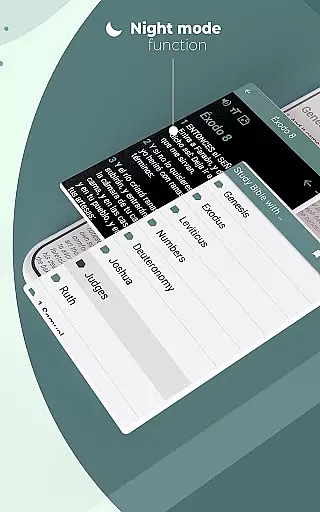
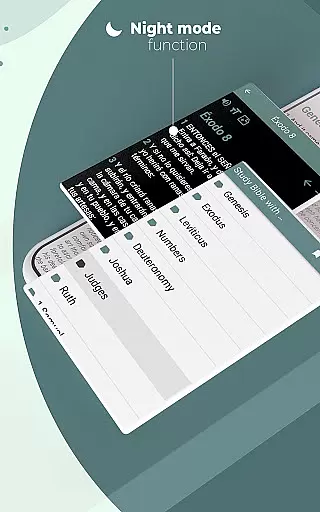
The Study Bible app offers innovative features such as advanced search capabilities, customizable verse highlighting, note-taking options, and adjustable font sizes. It also includes practical functions like night mode for comfortable reading in low-light conditions and social sharing tools to spread inspirational messages. Whether at home, in church, or on the move, this app ensures that users can engage with the Holy Word anytime and anywhere without needing an internet connection.
This app stands out with its rich feature set tailored for effective Bible study. Users can navigate through 66 books of the Old and New Testaments with ease, thanks to the keyword search functionality that allows direct access to any book, chapter, or verse. The ability to highlight verses in various colors and add personal notes enriches the learning experience, while the favorites list helps keep track of significant scriptures.
Additional functionalities include creating shareable content by converting Bible verses into images, sending verses via email or messaging apps, and receiving daily inspirational verses. The inclusion of high-quality audio narration caters to auditory learners and those who prefer listening to the scriptures. With its user-friendly interface and robust offline capabilities, the Study Bible app delivers a seamless blend of tradition and technology for modern Bible scholars.
When evaluating a Bible study app, functionality completeness is crucial for an optimal user experience. The Study Bible with explanation app offers a comprehensive suite of features that cater to various study needs. It includes the full King James Version (KJV) Bible with Matthew Henry's commentaries, all available offline.
The app provides innovative tools such as keyword search for any book, chapter, or verse, and customizable highlighting options in different colors. Users can annotate their readings with notes, create favorites lists, and even adjust font sizes according to their preferences. These features ensure that users have a versatile platform for in-depth Bible study.
Additionally, the app supports practical functions like night mode for eye protection and the ability to resume reading from the last viewed verse. With these capabilities, the app demonstrates extensive functionality coverage that enhances both personal and group Bible study sessions.
Usability is a key factor in determining the effectiveness of a Bible study application. The Study Bible with explanation app excels in providing a user-friendly interface that simplifies navigation and study. Its intuitive design allows users to effortlessly access the complete KJV Bible and its accompanying commentaries without requiring an internet connection.
Operational smoothness is evident through features like high-quality audio readings, easy social media sharing, and quick email or messaging options for verses. Users can convert Bible verses into images for sharing, which adds a creative element to their faith practices. The app also sends inspirational verses daily, keeping users engaged and spiritually uplifted.
By combining essential Bible study tools with seamless operational performance, this app ensures that users can focus on their spiritual growth without technical hindrances. The result is a smooth and enriching experience that encourages regular use and deeper scriptural understanding.
User-friendly interface
Comprehensive commentary
Offline functionality
Versatile sharing options
Daily inspiration delivery
Limited translations
No multimedia extras
Basic design layout
Occasional bugs
Heavy storage use

Record with Double Camera Video Recording using Dual Camera Front and Back Video
 3.00
3.00
SmartCast mirrors Android phone to TV screen With Cast Screen, Chromecast.
4.80
Connect and find your Smarttag devices through our app.
4.00
Android secret code for smart phone, mobile codes, with secret codes app
4.20
You can remote control and play much easier.
4.10
MirrorLink for connecting your Android phone to your car’s infotainment screen.
4.50
CloudEye 365 is a easy-handling APP
3.60
Barcode scanning made simple!
4.40
Unlock the hidden menus of your phone with our mobile secret codes app.
4.20
Popular mods fnaf mods for melon playground
4.50
Block, disable and secure phone camera from secretly taking photos by spyware.
4.50
use your smartphone as Remote control drones .
4.20
Test DPC is a sample device policy controller for use with Android Enterprise.
4.20
Easily evaluate the performance of Scandit's barcode and ID scanning SDK
4.10
Sad ringtones full of feeling, sad music ringtones
3.90
Connect your phone to any endoscope camera, USB camera, or borescope with ease.
3.70
Looking to connect your phone to your car screen? Mirror Link is the solution.
3.20
If you are looking for melon playground mod that fun you deffinitely try our app
2.70
Mirror Link Car Display to share your screen with car dashboard wirelessly
4.4


User Reviews