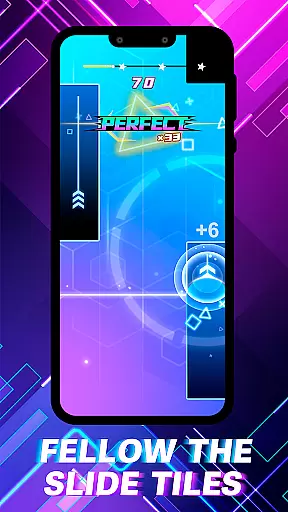
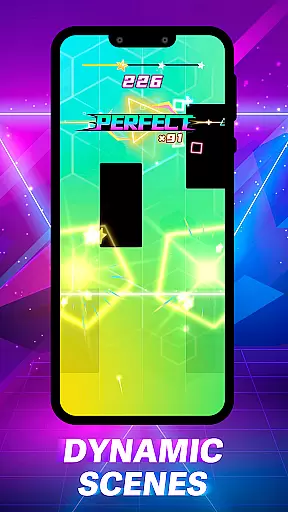
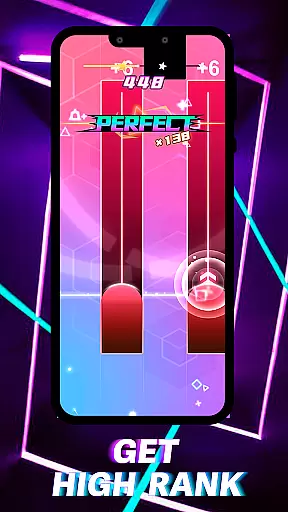
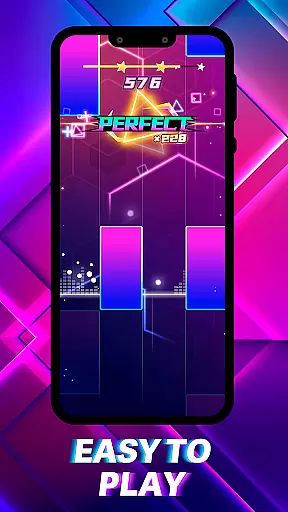
Piano Spark: Ignite the Beat is an innovative rhythm game that combines music with dazzling visual effects, creating a unique symphony of light and sound. The app's core function is to provide an interactive musical experience where users tap, hold, and slide on piano keys displayed on their device screens to create melodies.
What sets Piano Spark apart is its intuitive gameplay that caters to both experienced musicians and casual players. Its vibrant stages and luminous effects transform every note into a brilliant display of sparks and light trails, making each session not just a performance but also a creative light show.
This app is perfect for those who want to ignite their musical creativity while enjoying visually stunning effects. Whether you're practicing your skills or simply looking for a fun way to engage with music, Piano Spark offers an inspiring journey that connects emotion with every sparkling note.
Piano Spark stands out with its rich features designed to enhance user engagement and creativity. One of its main highlights is the Creative Mode, which allows users to unleash their inner artist by painting the sky with personalized light shows as they play melodies.
The app also boasts sleek design elements and modern interface powered by energetic visual effects. These include sparkling stages that immerse players in dynamic scenes pulsing with the beat, alongside luminous effects that make every hit explode into brilliant sparks and gorgeous light trails.
Each feature is crafted to provide value beyond just playing music; it's about experiencing emotional connections through music and sharing moments of joy. With intuitive gameplay mechanics like Tap, Hold, and Slide, users can master melodies while enjoying a blend of challenge and fun tailored for all skill levels.
Piano Spark offers an exceptional rhythm judgment system that ensures every tap, hold, and slide is accurately registered. This precision is crucial for players who want to master the melody and create a dazzling symphony of light and sound.
The game's intuitive gameplay mechanics are designed to cater to both seasoned maestros and casual players. By providing precise feedback on each action, users can refine their skills and truly immerse themselves in the music. The responsive controls allow for seamless interaction with the vibrant stages, enhancing the overall experience.
Players will appreciate how every hit explodes into brilliant sparks and gorgeous light trails, thanks to the accurate rhythm detection. This feature not only adds visual appeal but also reinforces the connection between auditory and visual feedback, making each performance feel more engaging and satisfying.
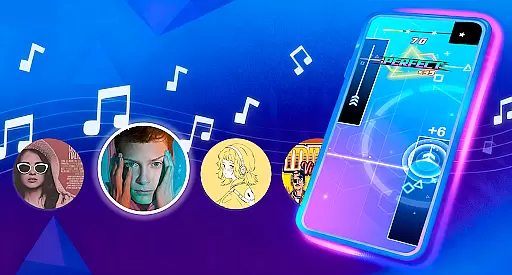
With Piano Spark, users have access to a diverse music library that caters to various tastes and preferences. From classical pieces to modern hits, the game offers a wide range of tracks that ensure players remain engaged and inspired throughout their musical journey.
The quality of the music library is another standout feature. Each track is carefully selected and mastered to provide an immersive audio experience. Players can expect high-fidelity sound that complements the game's luminous effects and dynamic scenes, creating a harmonious blend of sight and sound.
Beyond just playing, Piano Spark encourages creativity through its Creative Mode. Users can paint the sky with their own light shows, adding a personal touch to their performances. This combination of diverse music options and creative freedom allows players to connect emotionally with the music, sharing moments of joy and inspiration with others.
Intuitive controls
Vibrant visuals
Creative mode
Emotional connection
Shareable experiences
May lack depth
Repetitive gameplay
Limited song library
Ads between plays
Monetization focus
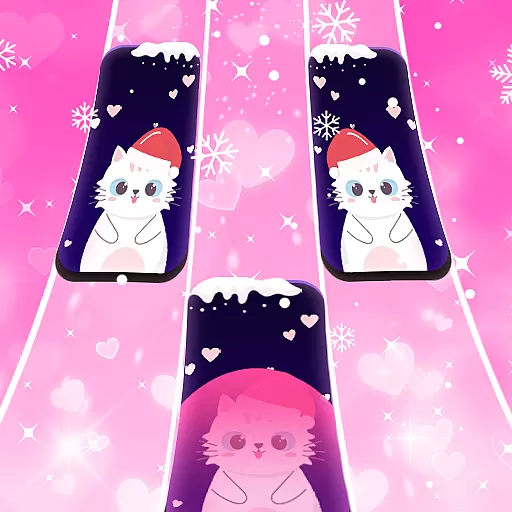
"Tap to the beat and challenge your fingers with cute cats in PopCat Tiles!"
 4.50
4.50
Piano game with popular songs. Enjoy the fun of music games and K-pop games!
4.50
Play like a mini piano on Beat Tiles 2: Piano Master anytime&anywhere!
3.60
Enjoy songs & crash same color blocks in a rhythm action surf, dash music game.
4.40
Hop the kitty ball on color tiles with latest hits! Collect cute singing animals
4.50
Fun musical games. Learn to play instruments, wonderful songs and sounds
4.30
Bounce the ball on music tiles to the beat of trending songs! Feel the magic!
4.50
The coolest rhythm game on this damn Play Store (respectfully)
4.80
Incredible funky Sprunki music game with all the popular mods!
4.70
Feel the Rhythm. Race the Galaxy!
4.80
Thump to the rhythm and bounce to the beat with these fuzzy musical monsters!
4.70
Keep the music ball running and hopping on the color tiles! Ready? Game start!
4.70
Classic cat music game! Experience pop piano songs and cute cat tiles.
4.60
Tap tiles piano kpop rhythm, pocket piano, offline music game Rush E challenge
4.60
Fight with Boyfriend in Friday Night Funkin Music Battle & Rock the beat FNF
4.50
Follow the music to slide the skateboard & wield the lightsaber
4.40
Kawaii dog, cat, animals buddies duet. Fun relaxing game from Magic Tiles team.
4.30
Lowriders comeback 2 - Musical Game with dancing, hopping and freeride cruising
4.20
Game of song, dual vocal, swipe, tap piano magic tiles pad & harmonize pop songs
3.70


User Reviews