
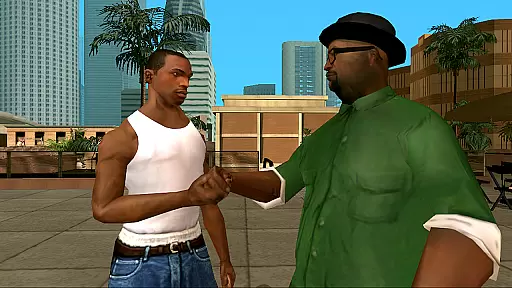

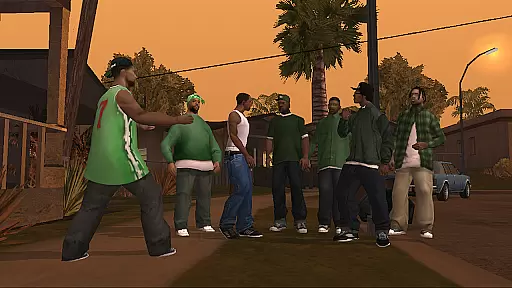
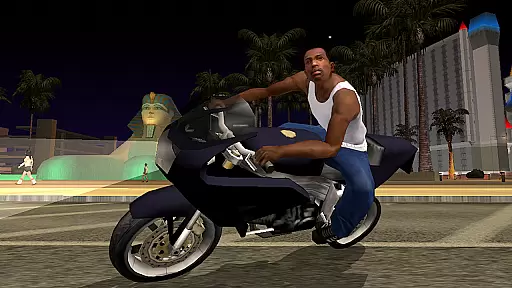
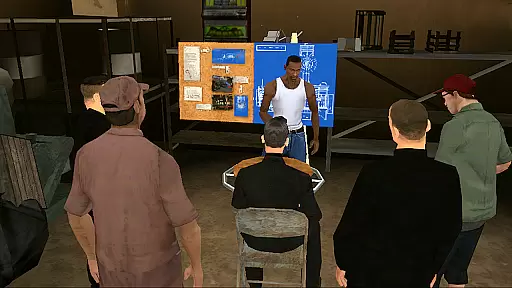
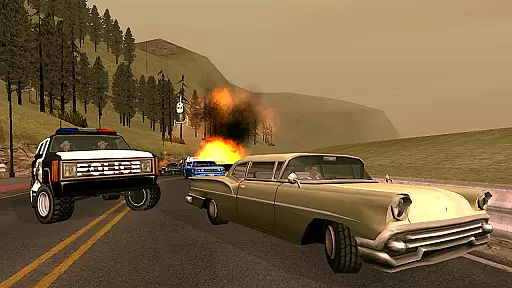
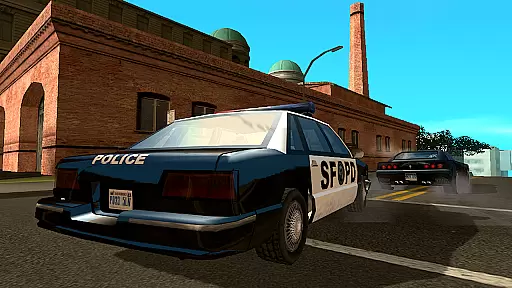
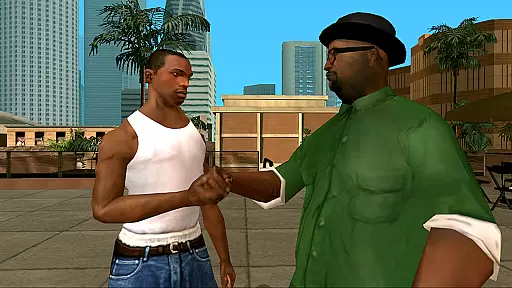

Grand Theft Auto: San Andreas is an action-packed open-world game that takes players on a thrilling journey through the fictional state of San Andreas. Set in the early 1990s, the game follows protagonist Carl Johnson as he navigates a world rife with gang violence, corruption, and personal challenges. With three major cities to explore - Los Santos, San Fierro, and Las Venturas - players experience a vast, immersive environment filled with engaging missions and activities.
The game features remastered high-resolution graphics optimized for mobile devices, offering enhanced visual fidelity and enriched color palettes. Players can expect over 70 hours of gameplay, featuring dual analog stick controls, customizable control schemes, and compatibility with various game controllers. The mobile version also supports cloud saves, allowing seamless play across devices for Rockstar Social Club members.
One of the standout features of Grand Theft Auto: San Andreas is its expansive open-world design, providing players with unparalleled freedom to explore and interact with the environment. The remastered graphics include improved character models, lighting enhancements, and adjustable graphic settings, ensuring an optimal visual experience tailored to individual preferences.
The game offers three different control schemes, dual analog stick controls for camera and movement, and contextual options that display buttons only when needed. Additionally, it integrates Immersion tactile effects for a more engaging experience. Supporting multiple languages including English, French, Italian, German, Spanish, Russian, and Japanese, the game caters to a global audience. Compatibility with MoGa Wireless Game Controllers and select Bluetooth and USB gamepads further enhances gameplay flexibility.
In Grand Theft Auto: San Andreas, control responsiveness is a critical aspect that ensures an immersive and seamless gaming experience. The game has been optimized for mobile platforms with dual analog stick controls, allowing players to have full camera and movement control. This feature is essential as it directly affects how players interact with the expansive open-world environment, making each action feel immediate and precise.
The implementation of three different control schemes highlights the game's commitment to catering to various play styles. Players can choose a scheme that best suits their comfort level, ensuring that the controls never hinder the gameplay. Moreover, customizable controls with contextual options mean that buttons are displayed only when needed, reducing clutter and enhancing the overall responsiveness of the interface.
For users, this translates into an engaging experience where every movement and decision is executed without delay. Whether navigating through the bustling streets of Los Santos or engaging in intense combat scenarios, the responsive controls ensure that players maintain complete command over their character. This immediacy not only enhances enjoyment but also allows for more complex strategic gameplay, keeping players invested in CJ's journey across San Andreas.
Combat feedback tightness in Grand Theft Auto: San Andreas refers to how the game provides players with clear and immediate responses during combat situations. This feedback is crucial as it helps players understand the impact of their actions, making fights more satisfying and engaging. With enhanced visual fidelity and detailed character models, every punch, kick, and gunshot is vividly brought to life, heightening the sense of immersion.
The game employs advanced graphics and tactile effects, integrated with Immersion technology, to deliver a visceral combat experience. These effects ensure that players feel every hit and explosion, providing a sensory-rich environment that keeps them on the edge of their seats. Furthermore, the remastered high-resolution graphics contribute to the realism of combat scenes, making each encounter visually stunning and technically precise.
Players benefit from this tight combat feedback by gaining a deeper connection to the game world. As CJ navigates through dangerous territories and confronts adversaries, the responsive feedback loop between player input and game reaction fosters a more dynamic and thrilling experience. Ultimately, this attention to detail in combat mechanics not only elevates the excitement but also enhances the overall narrative journey, ensuring that every battle contributes meaningfully to the story.
Engaging storyline
Vast open-world
High-quality graphics
Customizable controls
Cloud save support
Large file size
Requires high-end device
Occasional bugs
Long loading times
In-app purchases
Wish-granting Mermaid’s Tears in the hands of SpongeBob… What could go wrong?
 4.20
4.20
Take a katana in your ninja hands to fight foes! Stylish ninja stickman game
4.60
Destiny experience on mobile! Epic Sci-fi RPG Shooter!
4.40
Secret of Mana—the landmark action RPG first released for SNES in 1993!
3.60
Collect & Survive
4.30
BLEACH anime action RPG. Relive the story, unleash Bankai, battle Hollows!
4.80
Descend deeper into the toy factory with more puzzles and a new threat looming
4.20
This time, the terror has followed you home!
4.60
Run, jump & race through crazy obstacle courses in this 3D obby parkour game!
4.2
Evolve monsters, climb tiers, and cash out real money in Monster Cash!
4.80
Shooting Defense Game! Defend the dungeon from the heroes!
4.80
Become a commander and infiltrate the Planet of Heroes!
4.60 4.50
4.50
Carjack the open world like it's 1989!
4.50
Brutal action-platformer
4.50
The fast-paced FPS that changed gaming forever.
4.40
Fun knockout battle royale, play with your friends!
4.30
A Naruto game full of 3D competitive action!
4.20
NEOGEO's masterpiece game is now available in the app!
4.10


User Reviews