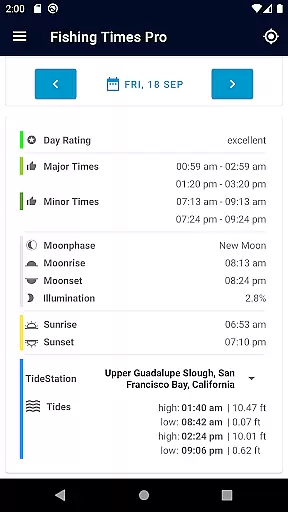
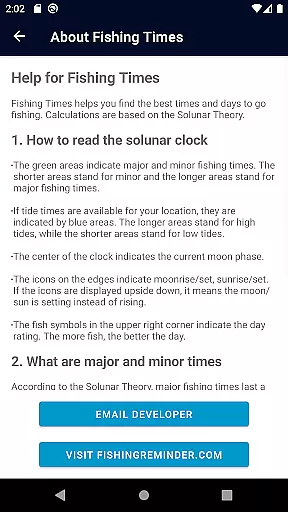
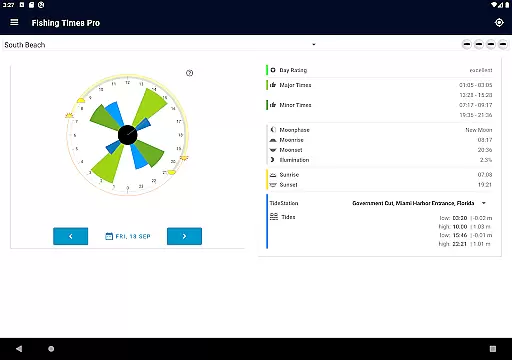
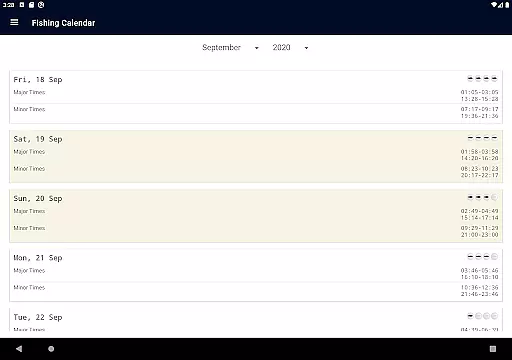
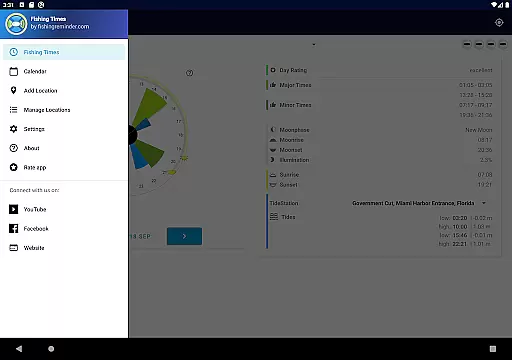
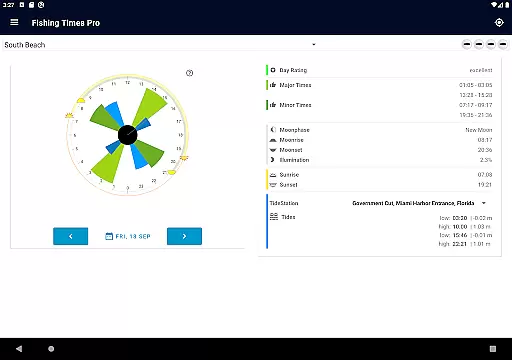
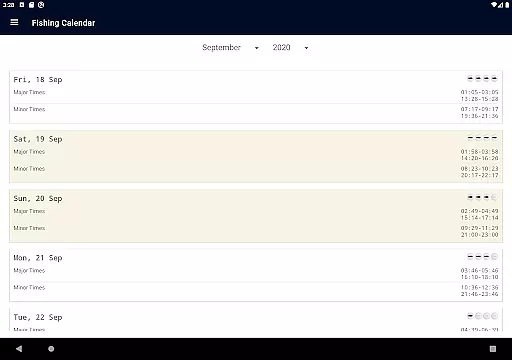
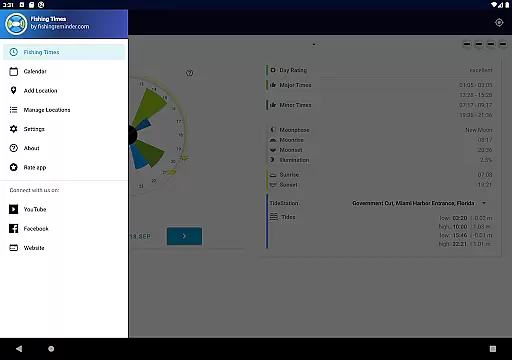
Fishing Times Pro is a specialized application designed for fishing enthusiasts who want to optimize their fishing trips. The app provides an easy-to-read interface that displays Major and Minor fishing times, Day Ratings, Tide Times, Sunrise, Sunset, Moonrise, Moonset, and Moonphase in both a 24-hour Solunar Clock view and a calendar format. This comprehensive data helps anglers plan their fishing activities with precision.
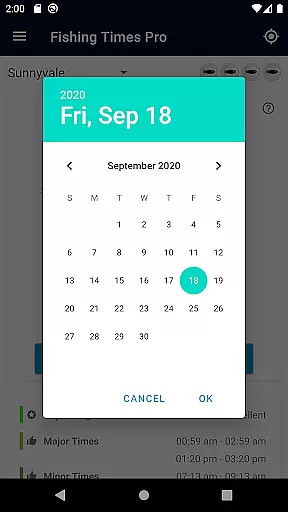
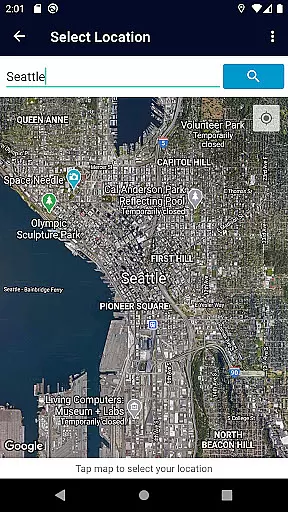
One of the standout features of Fishing Times Pro is its ability to allow users to switch selected dates effortlessly, making it simple to plan future fishing expeditions. Additionally, the app supports managing multiple locations, ensuring that no matter where you are fishing, you have accurate and relevant information at your fingertips.
The app's minimalistic approach ensures that it has one of the smallest footprints compared to other fishing apps, asking only for essential permissions. Developed by two passionate anglers, Fishing Times Pro aims to keep things straightforward while delivering crucial fishing data efficiently.
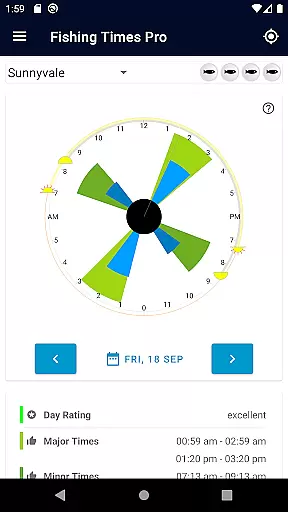
Fishing Times Pro offers a variety of features tailored to enhance the fishing experience. The app includes a Solunar Clock interface that instantly provides information on the best bite times through visual indicators such as Green Bars for good major and minor fishing times and Blue Bars for low and high tide times. A center moon phase indicator, along with sun and moon icons for rise and set times, further enriches the user experience.
Users can swipe left or right to change the date, allowing them to plan ahead effectively. The top right corner of the screen features a day rating indicator, which rates fishing conditions from fair to excellent using a fish scale system. This feature helps anglers decide the most opportune moments to go fishing.
Additionally, the app allows for the management of multiple locations, catering to anglers who fish in various spots. Its lightweight design ensures that it does not clutter the device with unnecessary data, maintaining optimal performance. Developed by avid fishermen, Fishing Times Pro combines practicality with simplicity, offering a seamless and efficient user experience.
When it comes to fishing, understanding the best times to head out can significantly impact your success. Fishing Times Pro offers a highly realistic simulation of solunar activity, which is known to influence fish behavior. The app provides detailed information on major and minor fishing times, allowing anglers to plan their trips during peak activity periods.
The app's physics-based predictions are not just limited to solunar data; it also includes tide times, sunrise, sunset, moonrise, moonset, and moon phases. These elements are crucial for any angler looking to maximize their chances of a good catch. By presenting this data in an easy-to-read 24-hour solunar clock view, users can quickly identify optimal fishing windows.
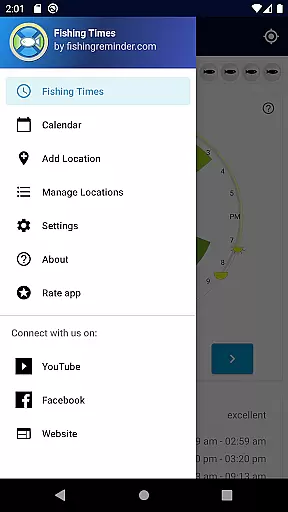
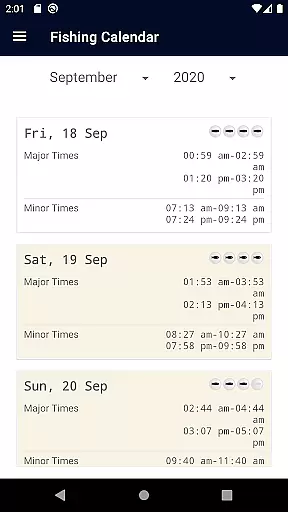
Fishing Times Pro stands out by offering both calendar and clock views, ensuring that whether you're planning days in advance or checking current conditions, you have all the necessary information at your fingertips. This dual approach caters to different user preferences and enhances the overall user experience.
Ultimately, the app's commitment to providing accurate and comprehensive data empowers anglers to make informed decisions about when and where to fish, leading to more successful and enjoyable outings.
Navigating through complex data should never be a chore, especially for enthusiasts who need quick access to vital information. Fishing Times Pro excels in delivering an intuitive control scheme that makes interacting with its rich dataset a breeze. Users can effortlessly switch between dates using simple swipe gestures, making future trip planning straightforward and efficient.
The appu2019s interface is designed to provide instant feedback on the best bite times via the solunar clock. With clear visual indicators such as green bars for major and minor fishing times, blue bars for tide times, and a grey line showing the current time, users can interpret the data at a glance without needing extensive tutorials or explanations.
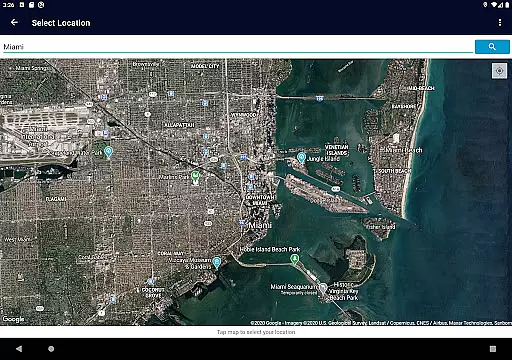
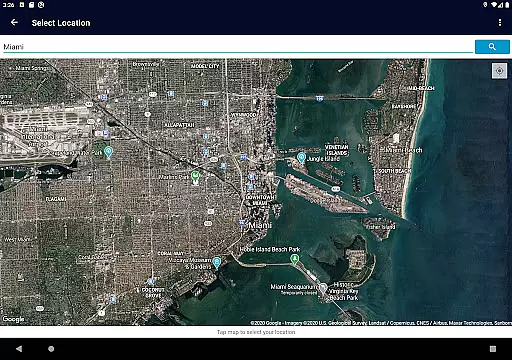
Additionally, managing multiple locations is simplified within the app, allowing users to save and switch between favorite spots easily. This feature ensures that no matter where you decide to cast your line, relevant and timely information is always accessible.
By focusing on minimal permissions and maintaining a small footprint, Fishing Times Pro respects user privacy while delivering a seamless and responsive experience. This thoughtful design prioritizes usability, ensuring that even novice anglers can benefit from sophisticated solunar data without feeling overwhelmed.
User-friendly interface
Comprehensive fishing data
Multiple location support
Minimal device permissions
Efficient planning tools
Limited social features
No offline maps
Premium subscription required
Occasional bugs
Basic customization options

Online app with multiple arenas! Live PvP multiplayer grand slam sports league.
 4.60
4.60
Join over 10,000,000 people in the only official PBA bowling game!
4.40
The King of Retro Soccer!
3.60
Grab the ball and play your Basketball career in this 3D Real-time Sport Game!
4.60
Play the hit multiplayer Carrom Disc Pool board game and become the best!
4.60
Establish a stable of talented boxers to take on the world.
4.80
Raise your duckling into a champion racer in this addictive pet & adventure game
3.90
Pixel Cup Soccer is a retro-style arcade game, just the fun part of soccer!
4.00
Golfing in an Endless Desert
4.10
This is the most realistic 3D bowling game on the Android phones.
4.70
8 Pool Master is an interesting billiard game
4.70
Basketball Team Management Sim Coach a custom team and dunk your way to glory!
4.70
Social casino meets sportsbook - more than a bet app for social sports betting!
4.60
Online multiplayer golf game. Play online golf games with your friends
4.60
Realistic PvP Multiplayer Dart game blending sports games and simulation fun!
4.50
Score stunning goals and outsmart defenders on your path to football glory!
4.40
Out of the Park Baseball Go is a strategy & sports gaming fan’s dream come true.
4.40
A classic reborn, now into Season 3!
4.00
Relive the second baseball game in the Backyard Sports franchise!
4.00


User Reviews