
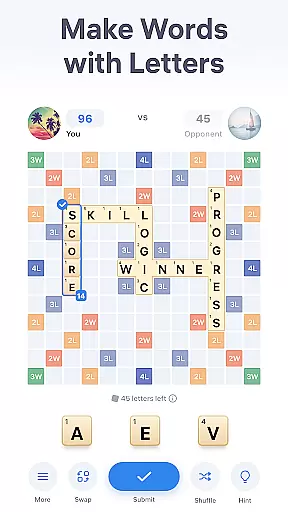
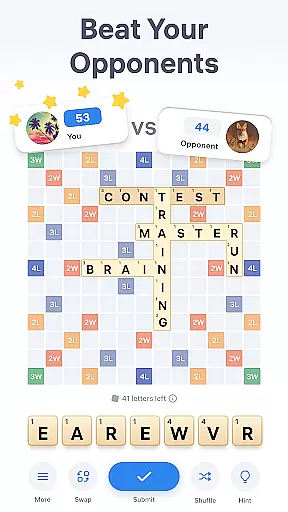
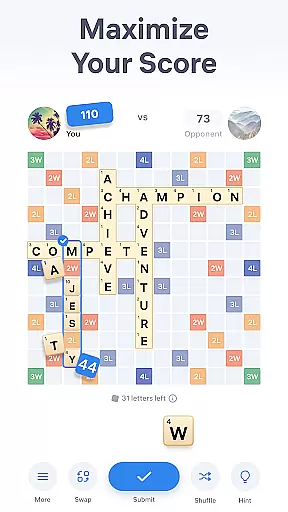

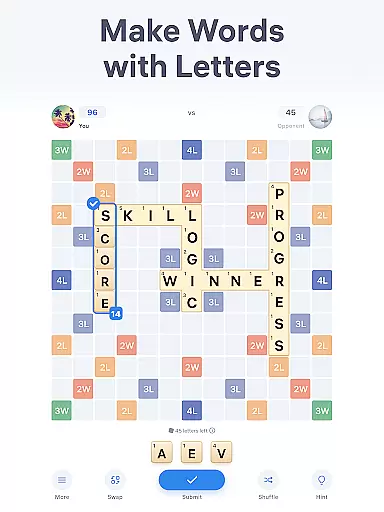
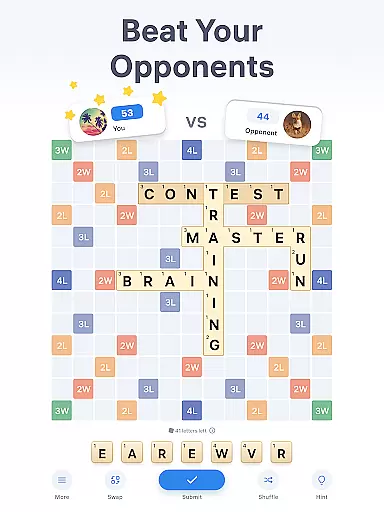
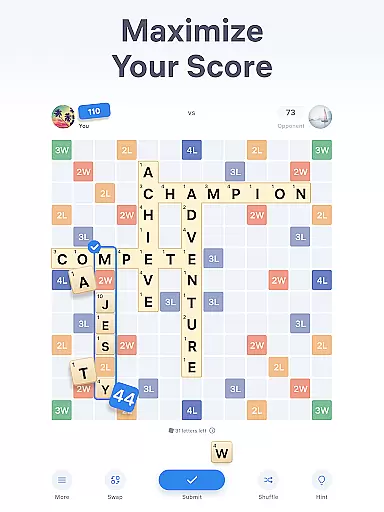
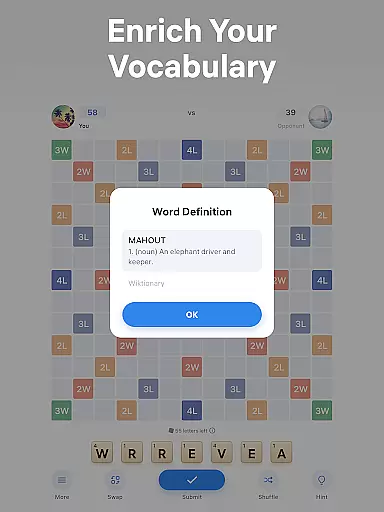
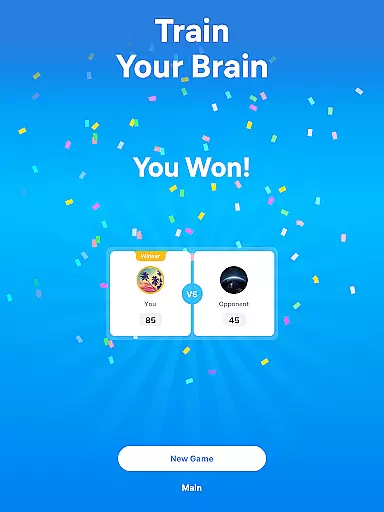
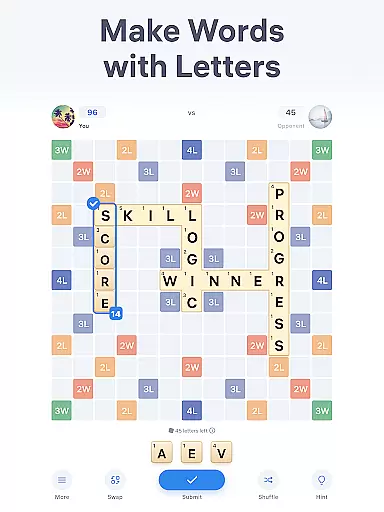
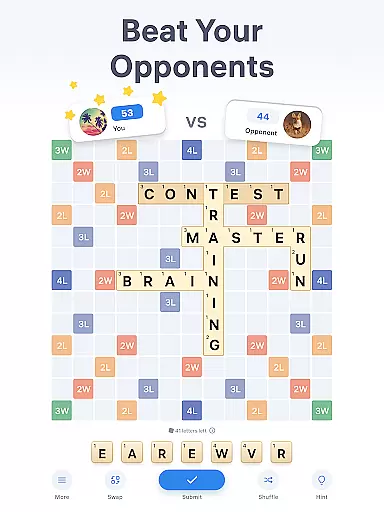
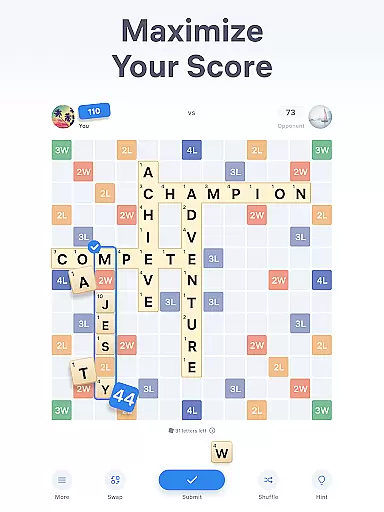
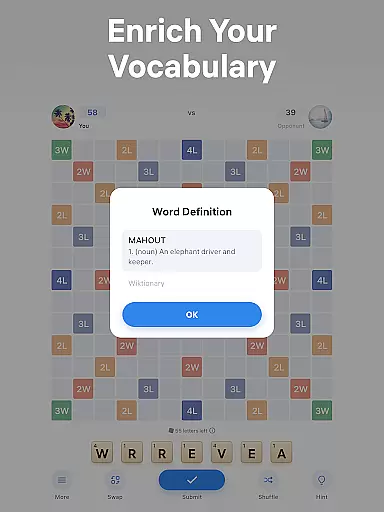
Easy Words is an engaging word puzzle game designed to challenge your vocabulary and strategic thinking skills. The core gameplay revolves around forming words on a 13x13 board using letter tiles, each with its own point value. Players compete to achieve the highest score by strategically placing words that capitalize on bonus cells, which can multiply letter or word scores. The built-in dictionary not only helps define words but also enriches players' vocabularies, making it both educational and entertaining.
Beyond the competitive element, Easy Words offers several features to enhance the gaming experience. Players can utilize hints when stuck, swap tiles for new ones when lacking inspiration, or shuffle their current set of letters for a fresh perspective. These mechanics ensure that users remain engaged and challenged throughout their sessions. Whether playing solo or against opponents, Easy Words provides a stimulating mental workout suitable for all ages.
The app's appeal lies in its ability to combine learning with leisure. By incorporating elements like word definitions and strategic tile placement, it creates an immersive environment where players can improve their language skills while enjoying friendly competition. Its accessibility across different platforms makes it a versatile choice for anyone looking to sharpen their mind during breaks or while commuting.
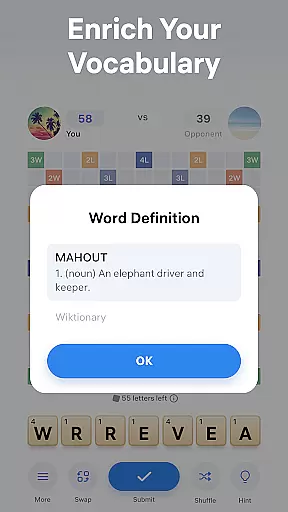
Easy Words stands out among word games due to its rich feature set tailored to enhance user engagement. One notable aspect is the inclusion of a built-in dictionary that defines every word placed on the board. This educational component allows players to expand their vocabulary while enjoying the thrill of competition. Additionally, the presence of bonus cells adds a layer of strategy, as players must consider how to maximize their scores through optimal tile placement.
Another key feature is the availability of hints, swaps, and shuffles. Hints assist players in composing high-scoring words when they're stuck, ensuring continuous progress. Swapping enables users to exchange unwanted tiles for new ones, providing fresh opportunities to form words. Shuffling rearranges the current set of letters, offering a new perspective that might spark creativity. These tools collectively create a dynamic gameplay experience that keeps players invested.
Furthermore, Easy Words supports multiplayer functionality, allowing friends to compete directly. This social element enhances replayability and fosters a sense of community among players. With its combination of educational value, strategic depth, and social interaction, Easy Words delivers a comprehensive package that caters to both casual gamers and dedicated word enthusiasts alike.
Clue quality and clarity are essential in word puzzle games like Easy Words, where players must unscramble words using given letters. The game ensures that each letter provided is clear and recognizable, eliminating any ambiguity that could disrupt the flow of gameplay.
Easy Words enhances clue clarity by offering a built-in dictionary feature. This tool provides definitions for all words placed on the board, enriching players' vocabularies while ensuring they understand the words they are forming. Such transparency not only aids in solving puzzles but also educates players, making every match a learning opportunity.
In addition to the dictionary, hints are available to assist when players are stuck. These hints don't just offer random suggestions; they compose the best possible word with the letters at hand, taking into account bonus cells to maximize points. This thoughtful design ensures that even when assistance is needed, the integrity and challenge of the puzzle remain intact.
By focusing on these aspects, Easy Words guarantees an engaging experience that balances challenge with accessibility, allowing players of all skill levels to enjoy the satisfaction of solving word puzzles.
Puzzle variety is a standout feature in Easy Words, setting it apart from other word games. The game offers a dynamic experience through its 13x13 board where words can be formed both horizontally and vertically, akin to crosswords. This flexibility allows players to explore different strategies and keeps each round fresh and unpredictable.
The inclusion of 44 bonus cells adds another layer of variety. These cells multiply points for either a letter or the entire word, encouraging players to think strategically about their moves. Whether aiming for high scores or simply enjoying the thrill of discovery, these bonuses ensure no two games feel the same.
Moreover, special tiles such as jokers introduce an element of surprise and adaptability. Acting as wildcards, they can substitute any letter, providing creative freedom and helping overcome challenging situations. This mechanic fosters creativity and rewards strategic thinking, enhancing overall enjoyment.
With features like swapping and shuffling tiles, Easy Words further diversifies gameplay. Players can exchange unwanted tiles or shuffle their current set for new inspiration, ensuring continuous engagement. This rich tapestry of options makes every session unique, catering to both casual gamers and dedicated word enthusiasts seeking diverse challenges.
User-friendly interface
Educational content
Engaging gameplay
Multiplayer support
Versatile features
Limited offline play
In-app purchases
Ads between games
Complex rules
High competition

Great Word Game with Friends!
 4.80
4.80
Dive into the fun word puzzle games for adults! Train your brain with word games
4.80
Crossword puzzles for all ages- easy to hard. All offline!
4.90
Word Trip – where players relax, solve word puzzles, and boost your brainpower!
4.90
Explore the world playing word puzzle games. Relax your brain by finding words
4.80
Play word games with friends! Smart puzzles, custom tiles & multiplayer fun!
4.40
A collection of engaging word and logic games with puzzles for all skill levels
4.80
Zen Word - where challengers relax, solve word games, and train their minds!
4.80
Daily crossword puzzles for brain training! Master vocabulary with word games!
4.50
Play word games to find as many words as you can. Use mode of crossword puzzles!
4.80
Train your brain daily with fun crosswords and addictive word puzzles!
4.80
Word search puzzle game for brain training
4.70
Enjoy the beautiful scenery and endless word search puzzles!
4.70
Play Word Games & train your brain in Word Collect - Word Games Fun Word Games!
4.70
Better than Wordle, with Unlimited Words and No Daily Limit.
4.60
3000+ levels of word puzzles fun. Connect words, improve vocabulary, boost IQ!
4.60
Try to find the hidden words!
4.30
Guessing word game for smartphones and smartwatches
4.2
Scramble Words Puzzle Game
4.4


User Reviews