
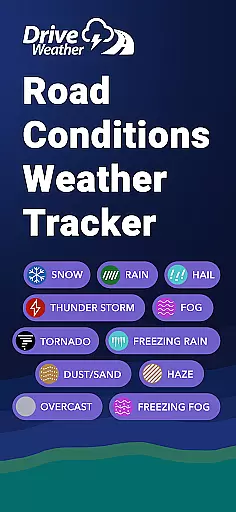
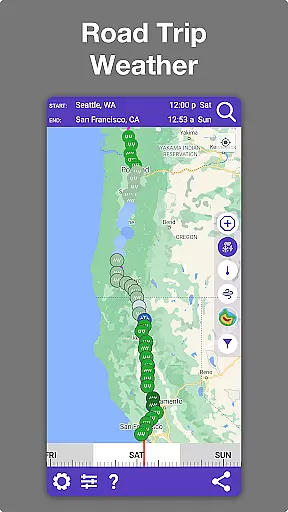
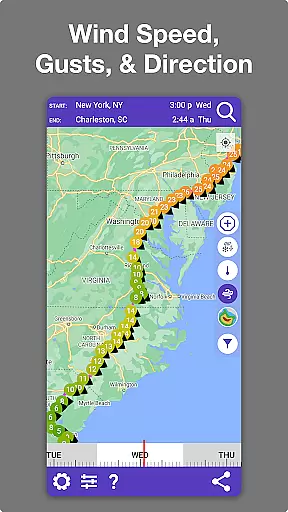
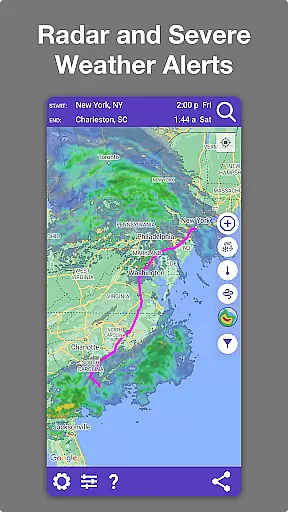
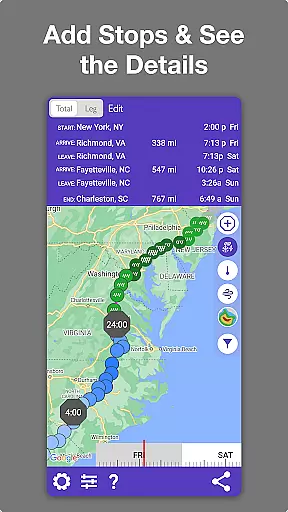
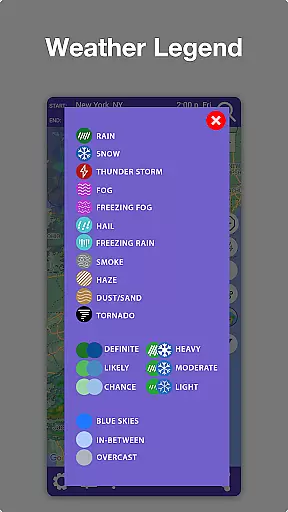
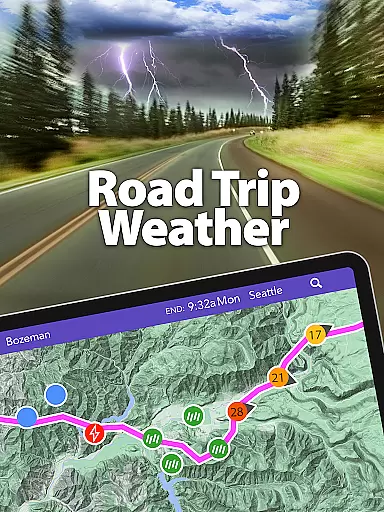
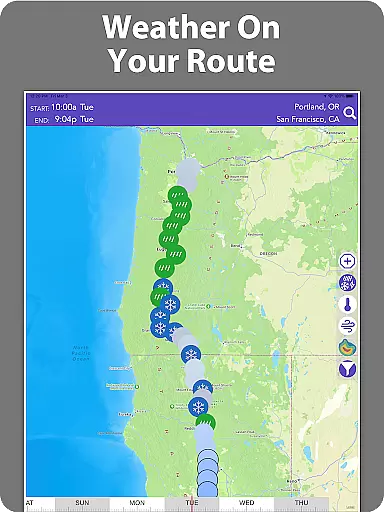
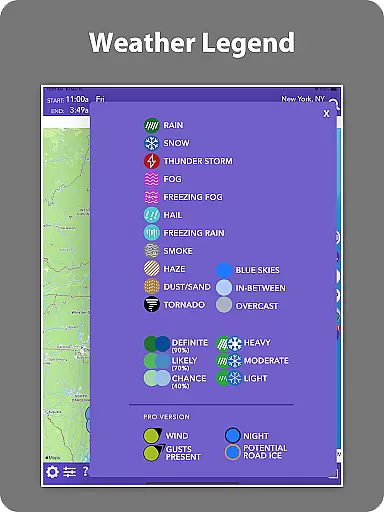
Drive Weather is a specialized weather application designed to provide real-time weather updates tailored specifically for drivers. The app's core functionality revolves around delivering accurate weather information along your driving route, ensuring safer and more informed travel decisions. With features like live radar, road condition monitoring, and detailed weather forecasts, it caters to various types of drivers including truckers, commuters, and road trippers.
One of the standout capabilities of Drive Weather is its ability to automatically adjust weather forecasts based on your travel speed and estimated arrival time. This ensures that the weather data you receive is always relevant to your location. Whether you're planning a long road trip or commuting daily, the app helps you avoid hazardous weather conditions such as storms, heavy winds, snowfall, and icy roads. By providing critical alerts and up-to-date information, Drive Weather empowers drivers to choose the best times to travel and take necessary precautions.
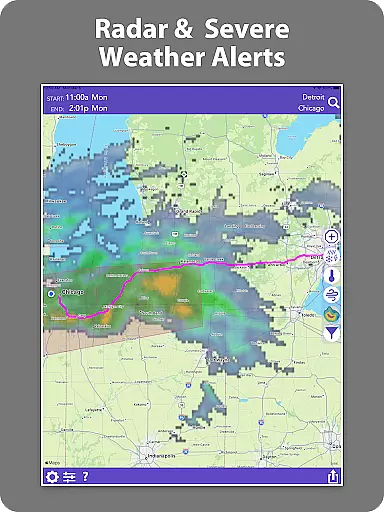
The app also offers an intuitive map interface that displays live weather radar directly over your route. This allows users to track storms, monitor precipitation levels, and identify potential weather hazards ahead of time. Drive Weather is particularly useful for navigating major interstates like I-80, I-95, and others where adverse weather can significantly impact driving safety. Its comprehensive feature set makes it an invaluable tool for anyone who spends considerable time on the road.
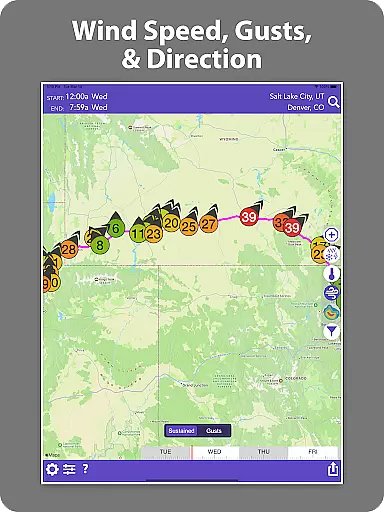
Drive Weather stands out with its robust set of features designed to enhance driver safety and convenience. One of the key highlights is the ability to view weather conditions specifically along your driving route. This includes detailed insights into temperature changes, precipitation levels, wind speeds, and visibility conditions. Such granular data helps drivers anticipate and prepare for varying weather patterns throughout their journey.
Another significant feature is the live radar overlay on your route map. This functionality provides real-time tracking of weather systems, allowing users to monitor storm movements, snowfall intensity, and other critical weather events as they happen. For drivers of large vehicles like semis, RVs, and trailers, the app offers specialized wind condition reports that are crucial for safe navigation. Additionally, Drive Weather delivers highway-specific weather alerts for major interstates, ensuring that drivers are always aware of potential hazards on their path.
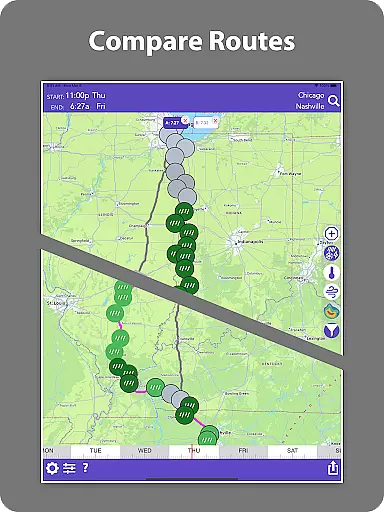
Beyond these core functionalities, Drive Weather incorporates advanced modeling techniques to deliver precise travel weather forecasts. Users can utilize the timeline slider to compare weather changes along their route and select optimal departure times. The app consolidates all essential information—weather forecasts, road conditions, and live radar—in one convenient platform, eliminating the need to switch between multiple apps. This comprehensive approach not only saves time but also reduces stress, making every drive safer and more predictable.
Drive Weather provides highly accurate weather forecasts tailored specifically to your driving route. The application uses advanced weather modeling to predict conditions such as temperature, precipitation, and wind speeds along your path.
The credibility of the data is ensured by sourcing information from reliable meteorological services and applying algorithms that adjust the forecast based on your travel speed and arrival time. This means you get real-time updates that are relevant to your journey.
For drivers, this level of accuracy means they can anticipate weather changes and make informed decisions about their travel plans. Knowing the forecasted weather conditions helps in avoiding potential hazards like storms, heavy winds, or icy roads.
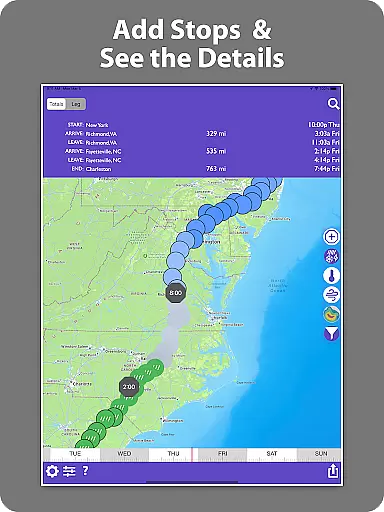
One of Drive Weather's standout features is its ability to provide a temporal and spatial forecast range that covers your entire trip. Whether you're embarking on a short commute or a long road trip, the app displays weather predictions for each segment of your route.
This extensive coverage includes live radar overviews, storm alerts, and detailed weather information for major interstates such as I-80, I-95, I-70, and I-25. Users can track storms, snowfall, wind gusts, and other weather hazards ahead of them.
By offering comprehensive weather insights across both time and space, Drive Weather empowers drivers to plan safer trips. With visibility into weather patterns throughout their journey, users can choose optimal departure times and steer clear of adverse conditions.
User-friendly interface
Real-time weather updates
Customizable route forecasts
Comprehensive hazard alerts
Accurate radar tracking
Premium features require subscription
Occasional data delays
Limited offline functionality
Interface may overwhelm new users
Higher data usage

Live local weather updates: various widgets & radar maps & hourly forecast.
 4.70
4.70
Weather for Indiana, Kentucky and Ohio
4.90
Accurate Thermometer: indoor & outdoor temperature, humidity, pressure, and wind
4.50
My Aurora Forecast is the app for Northern Lights and Aurora Borealis alerts.
4.60
Hurricane Tracker, Rain Map
4.80
Super-res, real-time weather radar. Be prepared for extreme weather.
4.50
Detailed weather info and moon phase, subtle animation, customizable
4.3
Determine Best Hunting Times for any date, any location.
2.50
Local forecast, alerts, rain, snow and wind radar, air quality & weather widget
4.60
Powerful US and worldwide earthquake feed with earthquake alerts and maps.
4.70
The weather channel, tiempo weather forecast, weather radar & weather map
4.70
Weather channel forecasts weather daily & hourly, local and national air quality
4.70
Your ultimate app for real-time weather information!
4.70
Prepare for severe weather with notifications, future radar, and live alerts.
4.60
Weather forecast & live radar map
4.20
Accurate Local Weather Forecast, let you easily understand the nearby weather!
4.20
Your Personal Weather Assistant
4.00
Know the weather earlier.
3.90
Magnetic Compass meets smart tech: Get directions and weather alerts seamlessly
3.30


User Reviews