
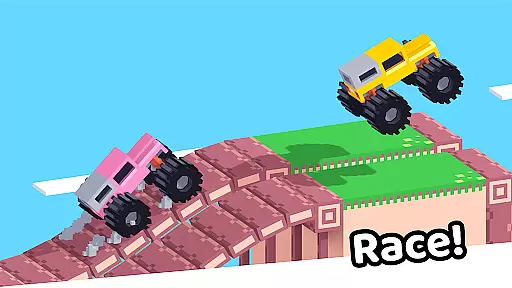

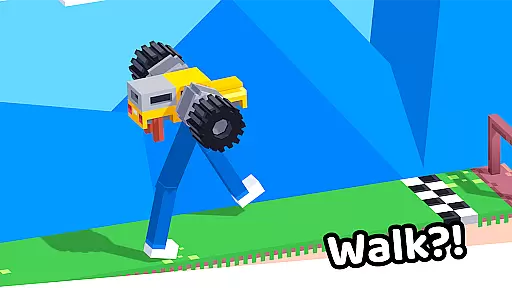


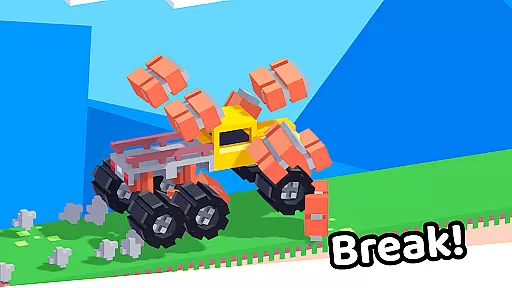




Drive Mad is a physics-based racing game that challenges players to master realistic driving mechanics. With simple controls and complex physics, the app offers an engaging experience for those who enjoy skill-based gameplay. The game features over 100 challenging levels where players can perform impossible stunts and tricks.
Designed for both casual and hardcore gamers, Drive Mad provides a perfect balance of fun and difficulty. Its small install size, smooth performance, and offline play capabilities make it an ideal choice for mobile gamers looking for a long-term gaming companion.
Drive Mad stands out with its realistic physics engine that requires actual driving skill. Players must learn to control acceleration and braking while navigating challenging tracks. As you progress, you'll unlock new levels and master advanced driving techniques.
The game boasts over 100 unique levels, each offering different obstacles and challenges. With its lightweight design and fast performance, Drive Mad delivers smooth gameplay without draining your device's resources. The offline play feature ensures you can enjoy the game anytime, anywhere.
Realistic handling physics are essential for any racing game that aims to provide an authentic driving experience. Drive Mad excels in this area by implementing advanced physics calculations that mimic real-world vehicle behavior.
The game requires players to master the art of acceleration and braking, with each action producing believable consequences on the vehicle's movement. This level of realism ensures that every turn, drift, and jump feels both challenging and rewarding.
As players progress through the 100+ levels, they develop a deeper understanding of the game's physics engine. The learning curve is perfectly balanced, allowing users to execute increasingly complex stunts and maneuvers.
This focus on realistic physics creates a more engaging experience compared to arcade-style racers, as it demands actual skill development from the player. The result is a game that not only entertains but also provides a sense of accomplishment as driving proficiency improves.
Precision control and minimal input latency are crucial components of any successful racing game. Drive Mad achieves excellent performance in these areas through optimized touch response and carefully calibrated sensitivity settings.
The game's controls are designed to be simple yet highly responsive - right for acceleration and left for braking. This straightforward control scheme ensures that even beginners can quickly grasp the basics while still allowing for complex maneuvers as skills improve.
With its fast performance and small install size, Drive Mad delivers consistently smooth gameplay without noticeable delay between player input and on-screen action. This responsiveness is particularly important during high-speed sections and complex stunt sequences.
The combination of precise controls and low latency creates an immersive experience that keeps players engaged. Whether executing tight turns or attempting daring jumps, users can trust that their inputs will be registered accurately and immediately.
Realistic physics engine
Over 100 challenging levels
Lightweight app size
Smooth performance
Offline play capability
Steep learning curve
Limited visual customization
No multiplayer mode
Occasional bugs
Ads between levels

Run to rich and discovery many interesting levels in fun run 3d game
 4.40
4.40
Street car racing has started, experience the drving skills!
4.50
Drive trucks, ATVs & 4x4 offroad in mudding, 4 wheeler racing & driving games
4.40
Master the art of driving! Conquer city streets and highways with precision
4.70
The Next-Gen of Endless Motorbike Racing
4.40
Race uphill to win in this offline physics based driving game!
4.20
Multiplayer car simulator. No Limit Racing & Driving in a big open world online!
4.20
Ride, flip, and race in Moto Stunt Extreme 3D with insane
4.40
Perform bicycle stunts on impossible tracks in extreme racing BMX cycle games.
4.50
One second to go, engine at the limiter, judges ready — this is real drifting!
4.60
Ninja warrior games begin! Run fast, jump high and win in the obstacle game!
4.60
Real F1 action. Compete in strategic multiplayer races and climb the ranks.
4.50
Race and win! Car racing games, real extreme. Drift, tuning & stunt driving!
4.50
Dirt bike motorcycle racing game - race friends on fast off-road motocross bikes
4.20
Driving simulator with German cars. Racing car games without ads and limits.
4.20
Evolve through the Timelines!
3.90
Drive to the finish line.
4.5
Realistic crash simulator with 149 vehicles and detailed crash physics.
4.1
Race on exciting tracks, unlock new vehicles, and compete for the top score
4.1


User Reviews