

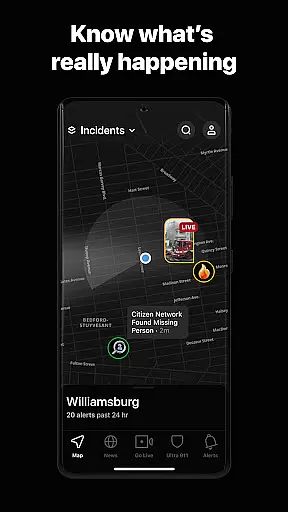

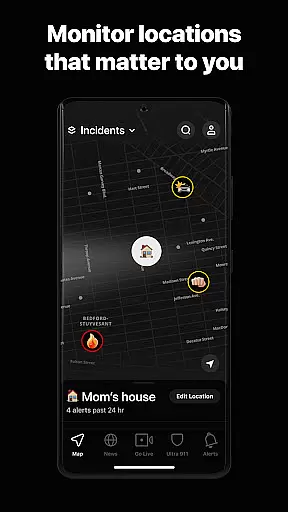

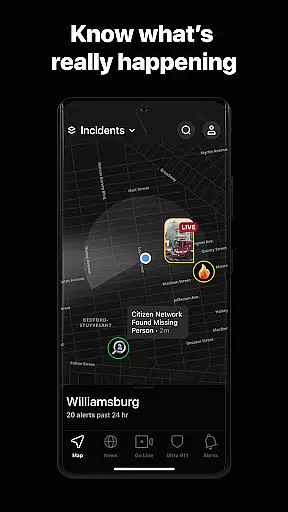
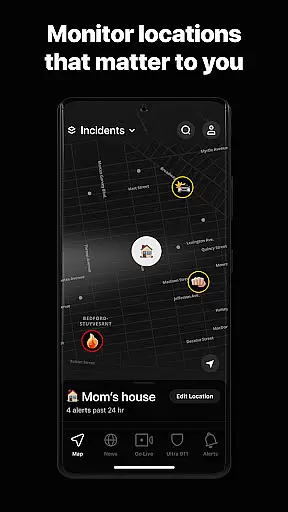
Citizen is a vital safety application designed to keep users informed and protected in today's unpredictable world. The app provides real-time safety alerts, live incident videos, and 24/7 emergency assistance, making it an indispensable tool for personal security. Whether you're at home or traveling, Citizen's location-based alerts notify you of nearby crimes, natural disasters, fires, protests, and other potentially dangerous situations. This empowers users to avoid danger before it strikes and make informed decisions about their safety.
One of the standout features of Citizen is its ability to notify users of ongoing incidents even before police respond. This early warning system helps protect both individuals and communities, promoting responsible usage. Additionally, the app offers access to historical crime trends, registered offender maps, and breaking news stories relevant to your city. With optional premium upgrades, users can access advanced features like 24/7 Safety Agents and detailed incident archives, further enhancing their safety and awareness.
Citizen stands out with its comprehensive suite of safety features that cater to various user needs. The app's real-time alert system is its core functionality, delivering instant notifications about crimes, emergencies, and other critical events in your vicinity. These alerts are complemented by live incident videos, allowing users to witness unfolding events from multiple angles or even broadcast live footage themselves. This feature creates a powerful community-driven safety network where users actively contribute to each other's protection.
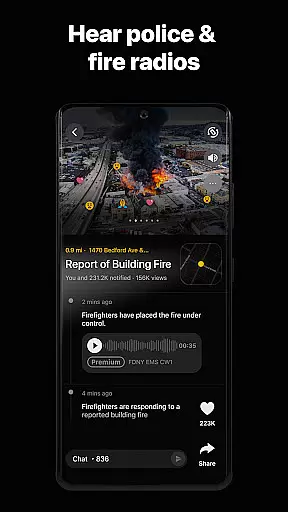
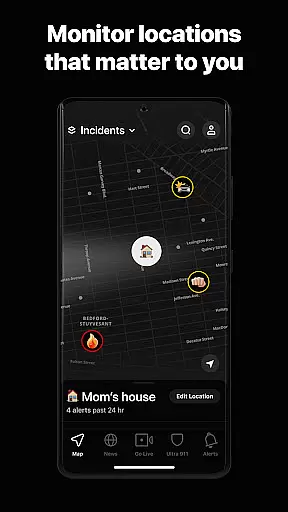
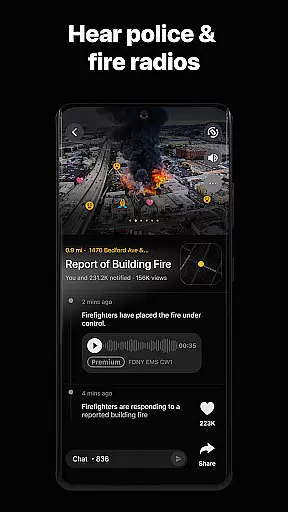
Beyond basic alerts, Citizen offers advanced tools like nationwide maps of registered sexual offenders and customizable notification settings through its premium subscription tiers. Citizen Plus users gain access to police and fire scanner audio clips, detailed incident archives, and multiple alert zones. Meanwhile, Citizen Premium subscribers benefit from 24/7 access to Safety Agents who can provide emergency assistance via video, voice, or text. These agents can monitor situations remotely using GPS and audio, helping dispatch first responders when needed. The app also includes missing person alerts and local news coverage, creating a holistic safety ecosystem that keeps users informed and prepared.
In today's fast-paced world, accessing credible and diverse news sources is crucial for staying informed. Citizen app excels in this area by providing real-time safety alerts and live incident videos directly from the scene. This immediacy ensures users receive unfiltered information as events unfold.
The app aggregates content from various sources including local incidents, police reports, and community inputs. By doing so, it creates a comprehensive view of what's happening around the user. This diversity in news sourcing helps paint a clearer picture of local events, ensuring that users are not limited to a single perspective or source.
Moreover, Citizen employs a verification process to maintain the credibility of its alerts. The app cross-references multiple data points before sending out notifications, which significantly reduces the risk of misinformation. This commitment to accuracy builds trust with users who rely on the app for critical safety updates.
By offering both breaking news and historical crime trends, Citizen empowers users to make informed decisions about their safety. Whether avoiding dangerous areas or understanding patterns in their neighborhood, the app's diverse and credible news sources provide invaluable insights for everyday life.
Accuracy in news reporting is paramount, especially when it pertains to public safety. Citizen app takes this responsibility seriously by implementing rigorous fact-checking protocols. Before any alert is sent out, the information undergoes a thorough verification process to ensure its validity.
The app leverages advanced algorithms and human oversight to cross-check reported incidents against multiple sources. This dual-layered approach helps filter out false alarms and ensures that only verified alerts reach the users. As a result, Citizen has become a trusted companion for those seeking reliable safety information.
Citizen also provides access to police scanner audio clips and detailed incident archives for premium users. These features allow for deeper investigation into reported events, further enhancing the app's commitment to factual reporting. Users can listen to official communications and review past incidents to gain a more nuanced understanding of local safety issues.
Through these meticulous fact-checking measures, Citizen maintains high standards of content accuracy. This dedication not only keeps users safe but also fosters an informed community that can act confidently based on trustworthy information.
Real-time safety alerts
Live incident video streaming
24/7 emergency assistance
Registered offender notifications
Customizable alert zones
Premium features costly
May cause anxiety
Limited rural coverage
Battery consumption high
Dependent on user reports

Never miss Local news, Breaking news and weather forecast from your neighborhood
 4.50
4.50
Local NYC news and weather alerts. Watch NBC 4 New York live 24/7.
4.00
Stay informed. Get all your world and local news with AP News!
4.30
World News On Finance, Business, Economics, Stock Market & Investment Portfolio
4.00
Podcasts. Live Radio. Music.
4.90
Join the Neighborhood
4.70
Local and latest news near you! Stay informed with live updates.
4.20
Stay connected with Local News for the latest weather, events, and breaking news
4.40
Breaking News & Social Media
3.70
Live Breaking News & Alerts. Police, Fire, Weather Radios, Air Traffic, & more.
4.80
Read millions of expert stories on business, tech, design, and current events
4.70
SAN | Unbiased News. Straight Facts.™
4.70
Stream & watch 3000+ live channels, TV shows, series, movies, news & sports
4.60
Breaking News delivers real-time updates, personalized content, and local news.
4.60
Live radar, daily & hourly weather forecast, latest local & international news.
4.50
CGTN: See the difference
4.30
Stream Action News and get customized breaking news and AccuWeather alerts.
4.00
Trusted sources, breaking headlines, and local stories all in one place.
3.70
Get daily news & live updates on US breaking news stories & global headlines
3.20


User Reviews